
Inventory – Registry keys and exe file with Ivanti EPM
Inventory registry keys in EPM via “Registry Item” . Example with Chrome: use exe path to check real version
Useful external reference: Ivanti resources.
Registry
You can inventory registry keys in EPM.
Useful external reference: Ivanti resources.
- In “Manage Software List,” add a new entry “Registry Item.”

- You will need to wait for 48 hours to see the information in the inventory.
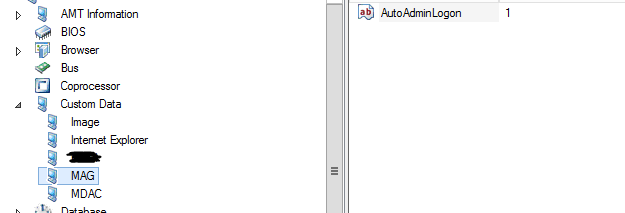
In this example, I’ll demonstrate using the ‘column configuration’.
Useful external reference: Ivanti resources.
Exe
As an illustration, I’m using Chrome because the version reported in LANDESK may not match the actual version on the computers.
Useful external reference: Ivanti resources.
- Navigate to Software Package and select ‘Version’.

- Click the ‘Qualify’ button; it may take a while to display.
- Search for Chrome and select the path ‘c:program Filesgooglechromeapplicationchrome.exe’ (or the appropriate path including x86) as preferred.
You can also utilize this method for your queries.
Useful external reference: Ivanti resources.