Server – Inventory Option with Ivanti EPM
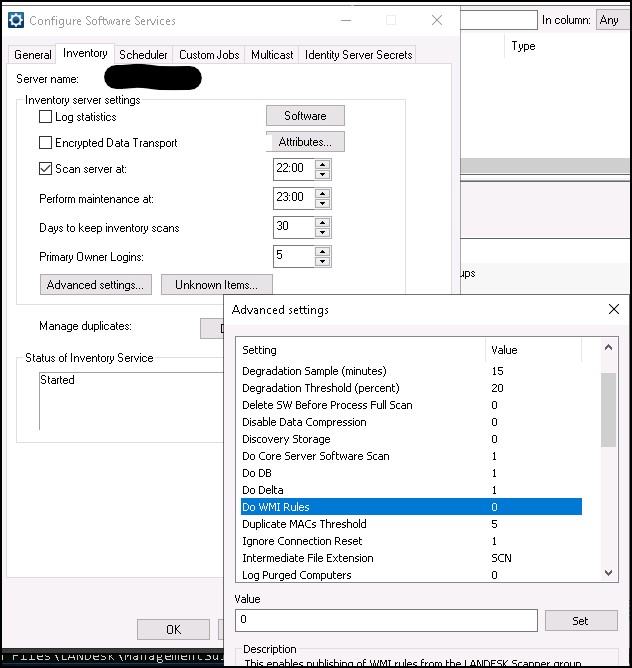
Server Inventory Option – If you’re not using custom WMI inventory rules, you can disable the “Do WMI Rules” option. This can help improve the time it takes for the agent to complete
Useful external reference: Ivanti resources.
Do WMI Rules
Server Inventory Option – If you’re not using custom WMI inventory rules, you can disable the “Do WMI Rules” option. This can help improve the time it takes for the agent to complete its inventory process.
Useful external reference: Ivanti resources.
Do Delta
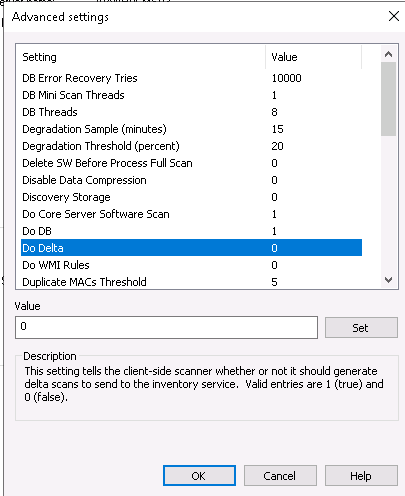
Server Inventory Option – The “Do Delta” option is used to force full inventories instead of only delta (partial) ones.
Be careful: if you enable this option, all inventory filters will apply to full scans, which may take more time to be integrated into the database. However, it can help resolve issues related to incomplete inventories.
Useful external reference: Ivanti resources.