Configure SCCM Power Management for Device Collections
Configure SCCM Power – This guide explains how to configure SCCM power management, apply power plans to device collections, exclude high-performance systems and use reports to monitor energy savings.
Useful external reference: Microsoft Learn.
Configure SCCM Power Overview
Configure SCCM Power – System Center Configuration Manager (SCCM) provides robust power management capabilities that allow administrators to control power settings on managed devices. By configuring power settings, you can optimize energy usage across your organization.
Useful external reference: Microsoft Learn.
Enabling Power Management on the Primary Site
Configure SCCM Power – To activate power management on the primary site, follow these steps:
Useful external reference: Microsoft Learn.
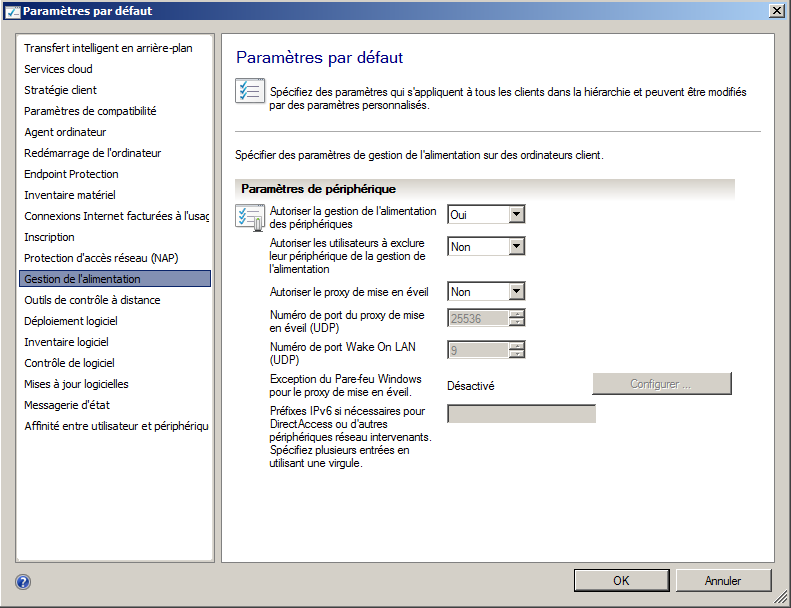
- Open the SCCM console and navigate to the Administration workspace.
- Click on Client Settings.
- Select Default Client Settings.
- Right-click and select Properties.
- In the Default Client Settings dialog box, click on Power Management.
- Set Allow power management of devices to Yes.
- Click OK to save the changes and close the dialog box.
Applying Power Management to Computers
Configure SCCM Power – Note: Virtual machines are not supported for power management.
Useful external reference: Microsoft Learn.
Applying Power Management Settings
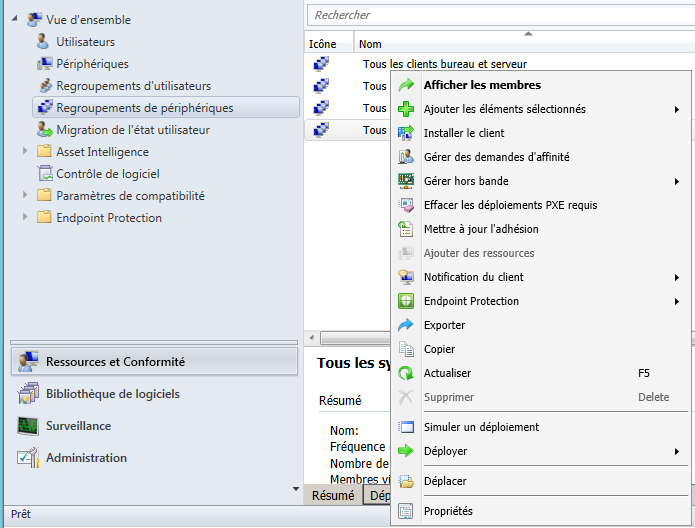
Configure SCCM Power – Power management rules are applied directly to device collections. Follow these steps to configure power management settings for a collection:
Useful external reference: Microsoft Learn.
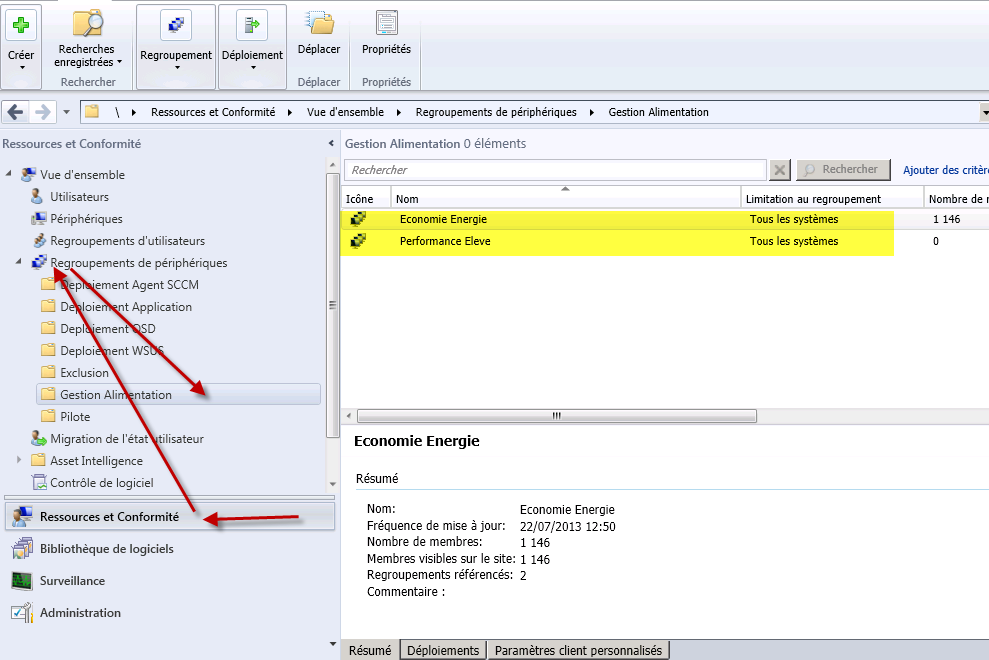
- Navigate to the Assets and Compliance workspace.
- Select Device Collections.
- Right-click on the desired collection and select Properties.
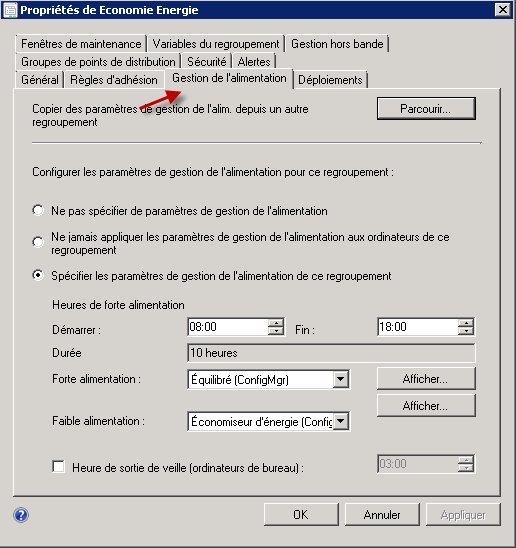
- Click on the Power Management tab.
- Configure the power management settings for all computers in this collection.
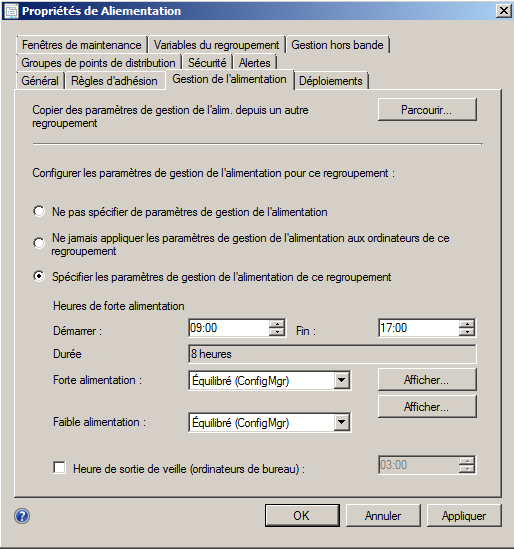
Power Management Collections
- Energy Savings: Includes all devices in SCCM, except those in the High Performance collection. This setting balances power usage during work hours and activates energy-saving settings after hours.
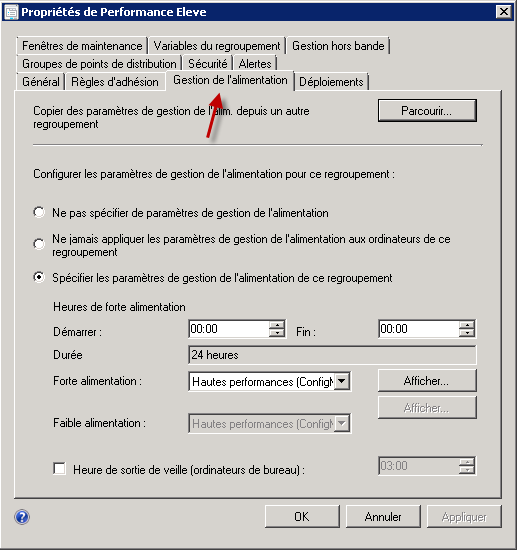
- High Performance: Keeps devices powered on at all times. Devices must be manually added to this collection.
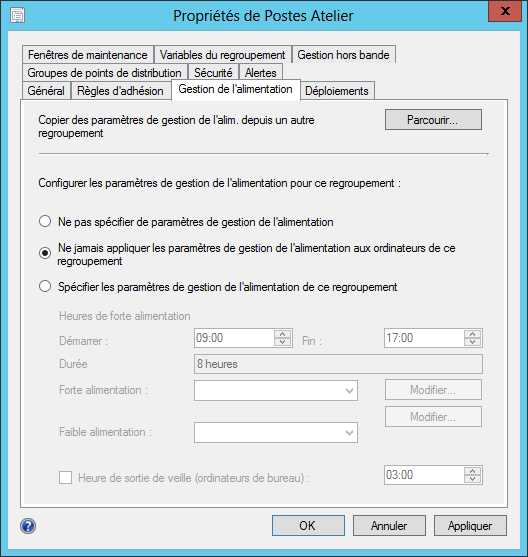
Excluding a Collection from Power Management
Configure SCCM Power – To exclude a device collection from power management:
Useful external reference: Microsoft Learn.
- Navigate to the Assets and Compliance workspace.
- Select Device Collections.
- Select the collection to exclude and open its Properties.
- In the Power Management tab, select Never apply power management settings to computers in this collection.
- Click OK to save the settings and close the dialog box.
Reporting
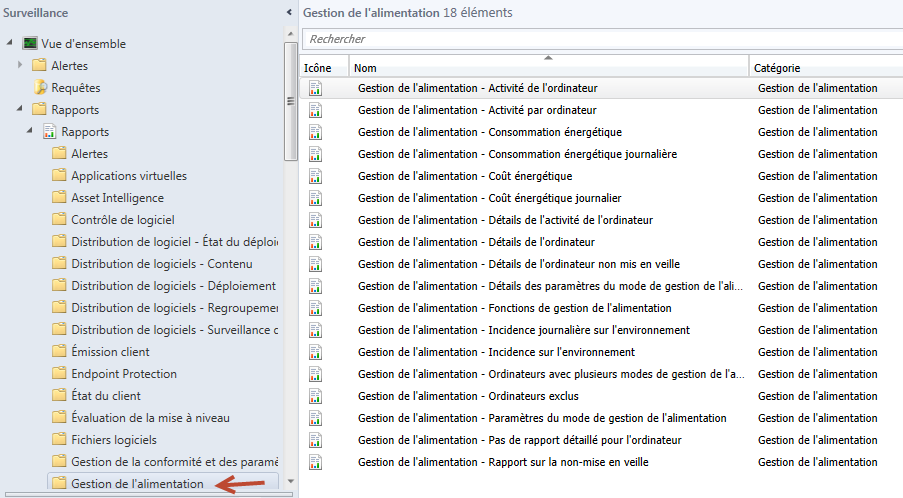
Configure SCCM Power – SCCM offers several reports to monitor and manage power settings. These reports can help you track energy usage and ensure compliance with power management policies.
Useful external reference: Microsoft Learn.