
Automate WSUS Patch Approvals with Pilot and Global Groups
Automate WSUS Patch – This guide explains how to automate WSUS patch approvals with PowerShell and Windows Task Scheduler by assigning updates to a Pilot group first, then promoting them to Global target groups after a validation delay.
Assign Patch to Pilot Group
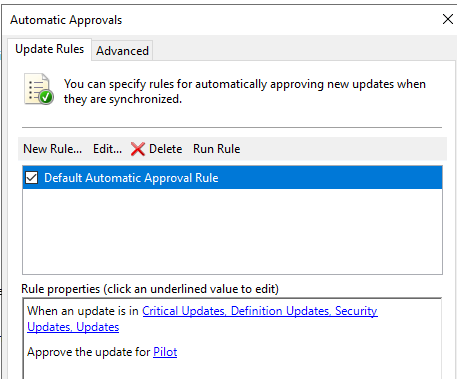
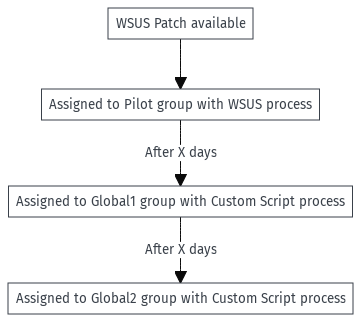
Automate WSUS Patch – After each WSUS synchronization, new updates are automatically assigned to the Pilot group. This creates a safe soak period before broader deployment.
Assign Patch to Other Targets
Script
Automate WSUS Patch – The GitHub script promotes approvals from Pilot → Global1 → Global2 after a configurable delay (default: 5 days) and accepts EULAs when required.
- Edit group names and the minimum number of days directly in the script.
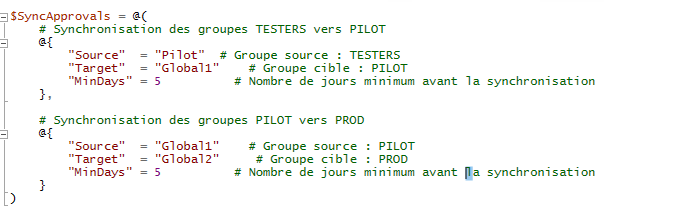
Automate WSUS Patch – Assigned to Global1: After the configured delay, the update is approved for the Global1 group.
Automate WSUS Patch – Assigned to Global2: After another delay, the same update is approved for the Global2 group.
Schedule Task
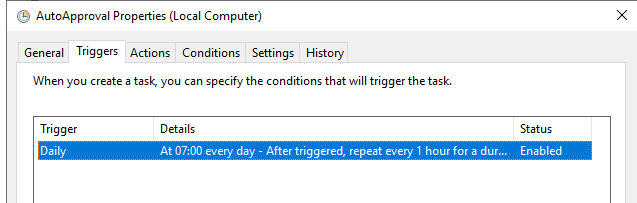
Automate WSUS Patch – Use Windows Task Scheduler to run the script on your preferred cadence (daily in labs, weekly in production).

- Run the task under the SYSTEM account with highest privileges.
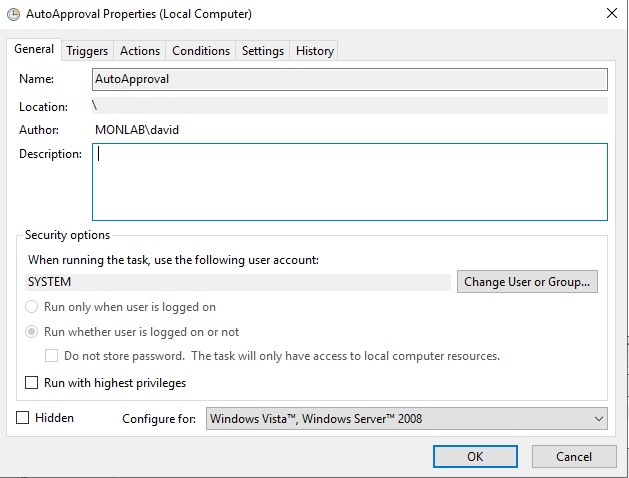
- In labs, schedule it daily; in production, weekly (e.g., every Monday) is usually enough.
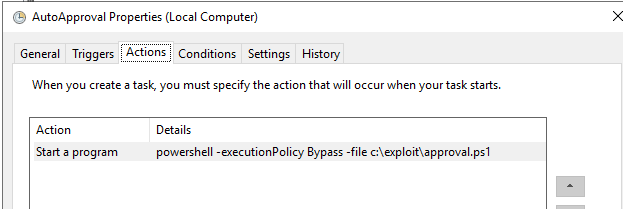
- Point the action to the
.ps1script path (e.g.,C:ScriptsWsus-ManageApprovals.ps1).
Script example available on GitHub: wsus/auto-approval.