
Download Tanium Client Logs from Client Health
This guide explains how to download Tanium Client logs directly from the Tanium Console. The workflow uses Client Management, Client Health, log domain selection, and Gather From Endpoint to generate a troubleshooting archive.
Useful external reference: Tanium documentation.
Download Tanium Client Logs
This procedure shows how to retrieve a device’s logs directly from the Tanium Console (Client Management > Client Health).
Useful external reference: Tanium documentation.
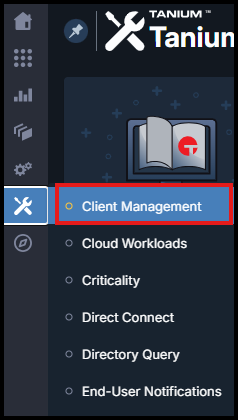
- In Shared Services, open Client Management.
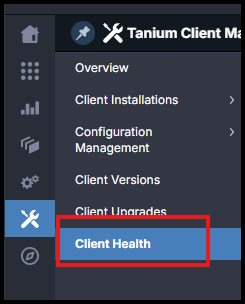
- Select Client Health.
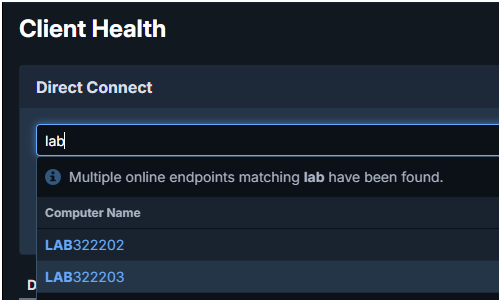
- Search the device by its Device name, then confirm the selection.
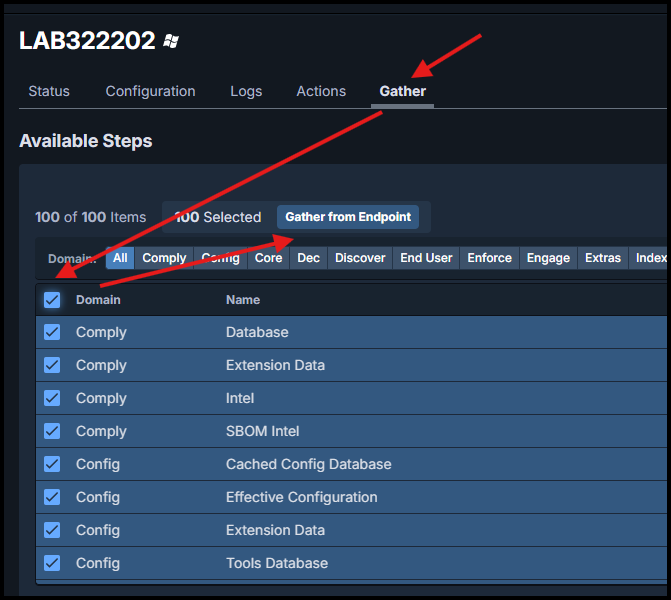
- Open the Gather tab, choose one or more log domains, then click Gather From Endpoint.
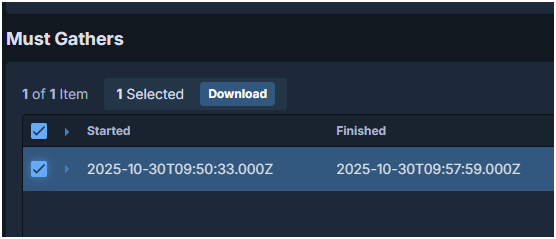
- When the collection completes, find the archive in the list (Downloads), select it, then click Download to retrieve it.
Tip: if needed, run another collection including additional log domains, for example for a specific package or module, to get a more complete diagnosis.
Useful external reference: Tanium documentation.