
Configure a Remote Relay in Quest SMA
Configure Remote Relay – Configure a Quest SMA remote relay with labels, IP targeting, replication, distribution, failover behavior and workstation assignment.
Prerequisites
Configure Remote Relay – Install the KACE agent on a server (or workstation) that will be used on the relay server.
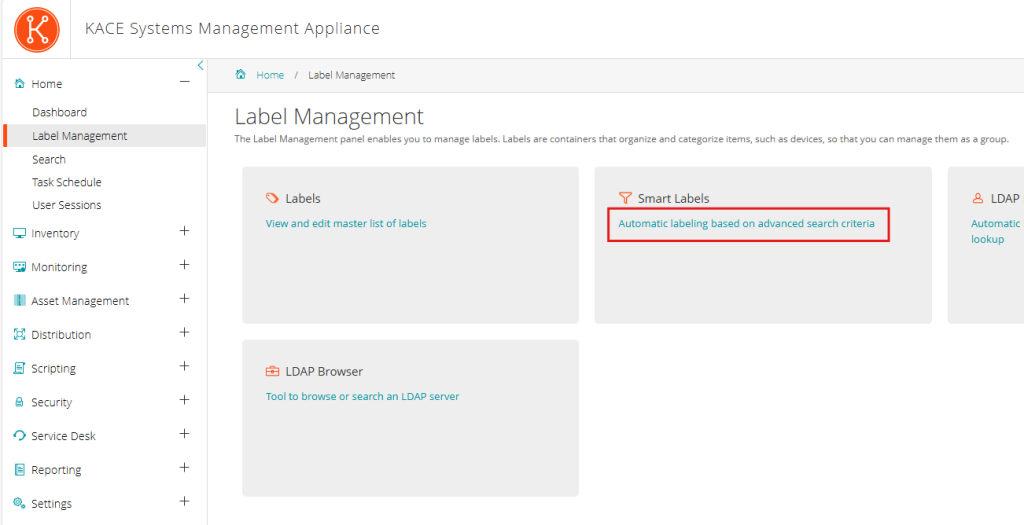
Creating a Label for Remote IPs
Dynamic Label
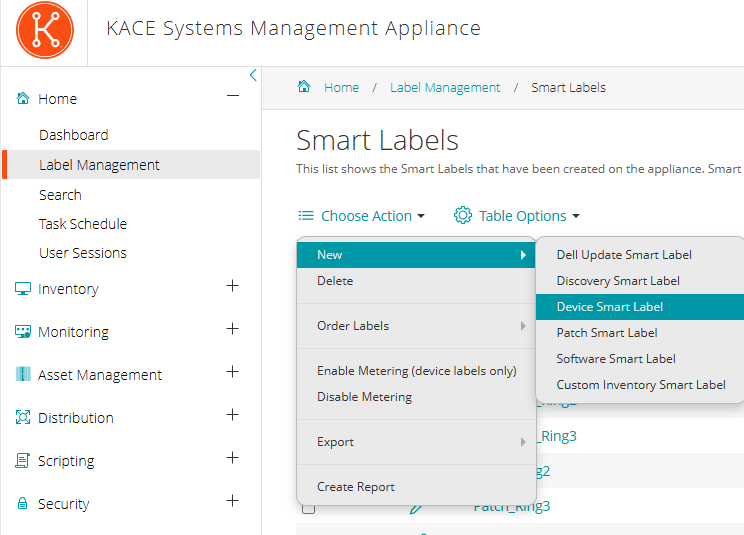
- Then in “Inventory” “Device”, select “Dynamic Label”
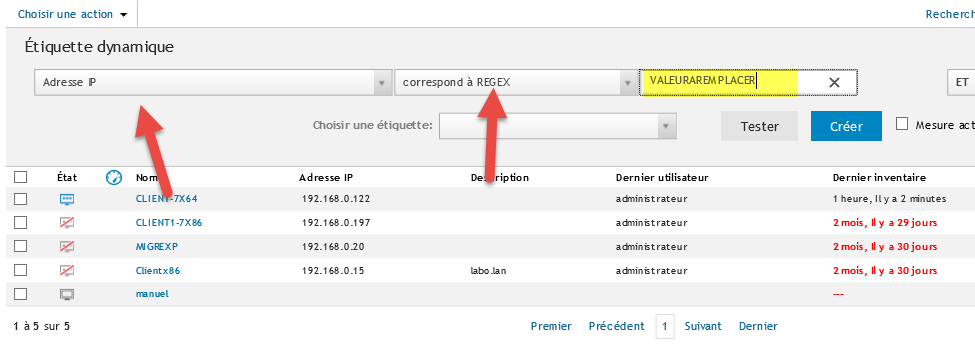
- Create a filter on IP addresses with “Matches REGEX”
- In the REGEX query, enter a text (this field will be manually replaced in the SQL query later)
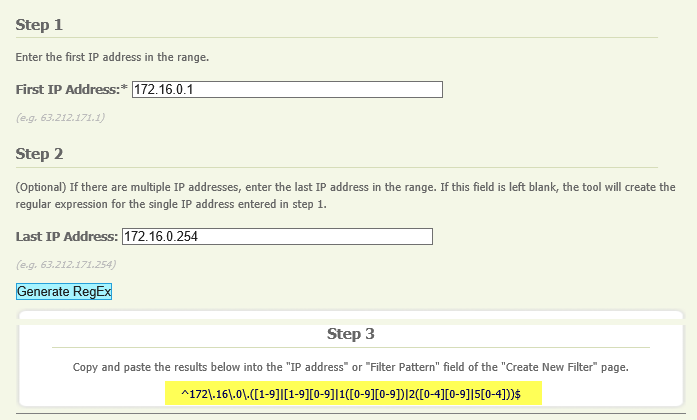
REGEX
- Create the REGEX value by following this link: http://www.analyticsmarket.com/freetools/ipregex
Replication
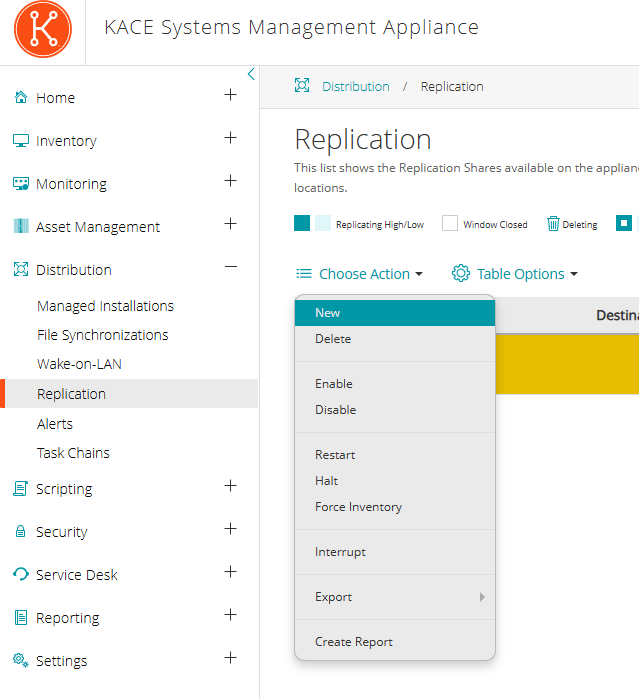
- Then in “Distribution” “Replication” select “Choose Action” and then “New”
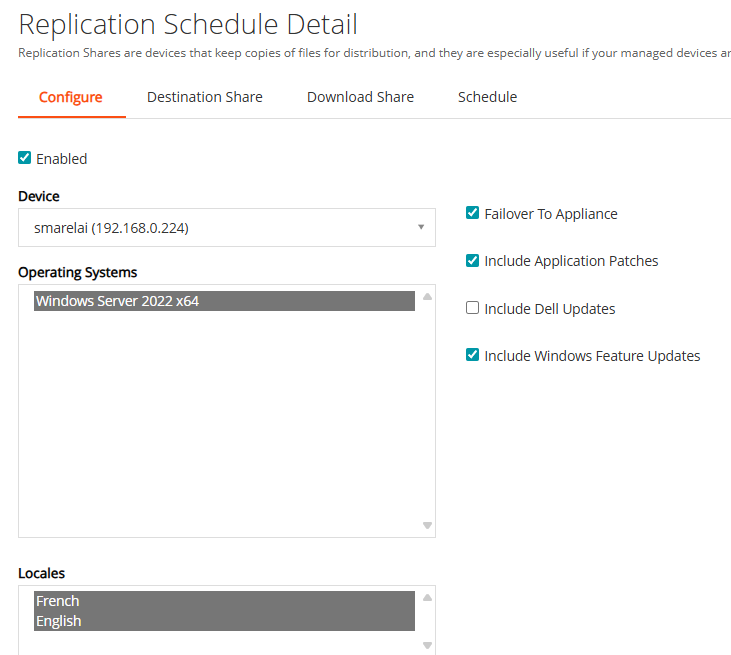
- Select the server (or workstation) that will be the relay and check “Enabled”
- Specify the label for the workstations (created in the previous step) that will use this relay server
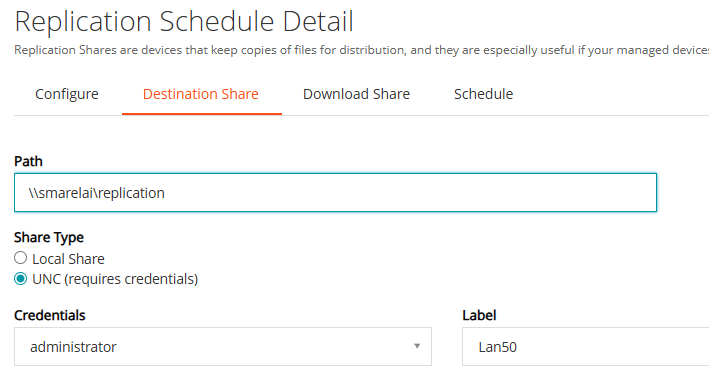
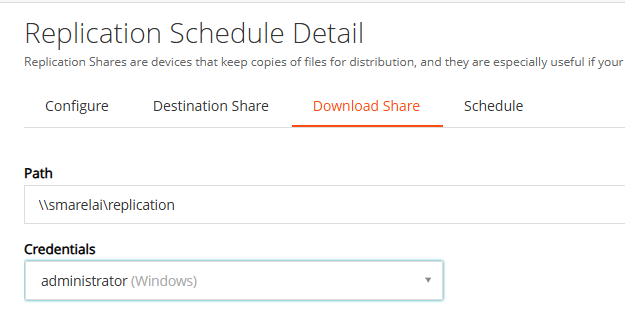
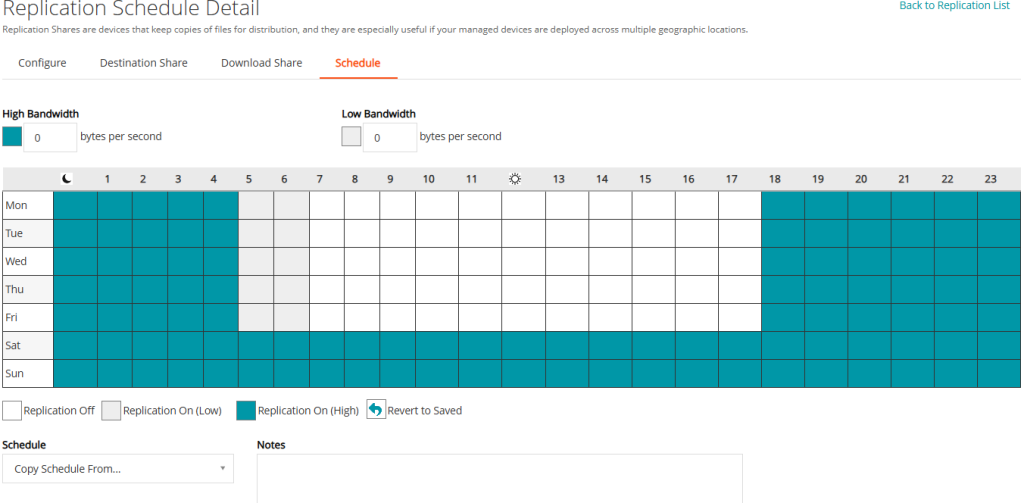
- Specify the replication periods between the K1000 and the relay
- Once the replication is complete, the relay is operational.
Configure Remote Relay – Be careful with the “Failover to Appliance” option. If enabled, workstations can use the K1000 for downloading packages (if not available on the relay). This can cause bandwidth saturation. =>Do not check this option by default