
Windows update avec PSWindowsupdate with PowerShell Administration Scripts
Windows update PSWindowsupdate – Manage Windows Updates with PowerShell: install the PSWindowsUpdate module, apply patches, check history, and handle reboots.
Windows update PSWindowsupdate Overview
- Manual Installation:
- This method is not typically recommended.
- PowerShell modules are available at this address.
- As indicated in the help documentation, download the modules and copy them to:
%WINDIR%System32WindowsPowerShellv1.0Modules - Then, execute the command:
import-module pswindowsupdate
- Standard Installation:
- Simply execute the PowerShell command:
Install-Module -Name PSWindowsUpdate -Force
- Simply execute the PowerShell command:
Windows update PSWindowsupdate Overview
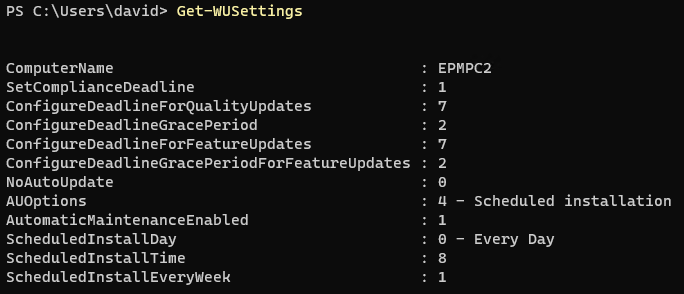
Get-WUsettings: Identify the active GPOs.
Windows update PSWindowsupdate –
Get-WUinstall: Install patches. Note:Get-WUInstallandinstall-windowsupdateare identical commands.
Windows update PSWindowsupdate – Examples
Get-WUInstall -AcceptAll
Get-WUInstall -AcceptAll -Autoreboot
install-windowsupdate -notTitle "Malicious" -AcceptAll -IgnoreReboot

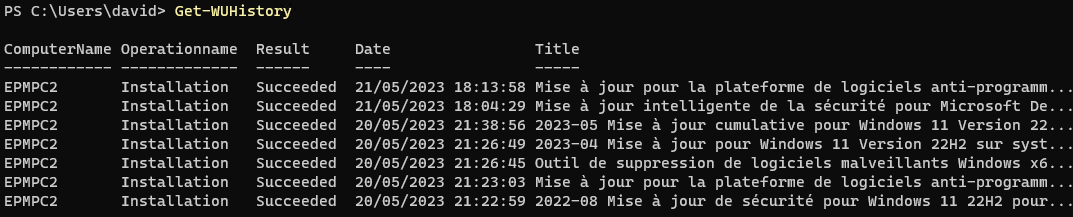
- Get-WUHistory =>View the history of installations.
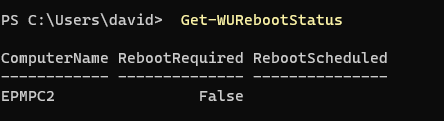
- Get-WURebootStatus => Check if a reboot is pending.
- Install-WindowsUpdate -WindowsUpdate -AcceptAll -IgnoreReboot
Windows update PSWindowsupdate – to bypass wsus configuration