
Retrieve Windows 10 System Rating with Windows Master Images
Step-by-step guide to Retrieve Windows 10 System Rating with Windows Master Images, including configuration, deployment, troubleshooting and practical
Useful external reference: Microsoft Learn.
- Open PowerShell: Ensure you run it as an administrator
- Enter the Command: Type in the following command to get the system rating:
powershell Get-WmiObject -Class Win32_WinSAT
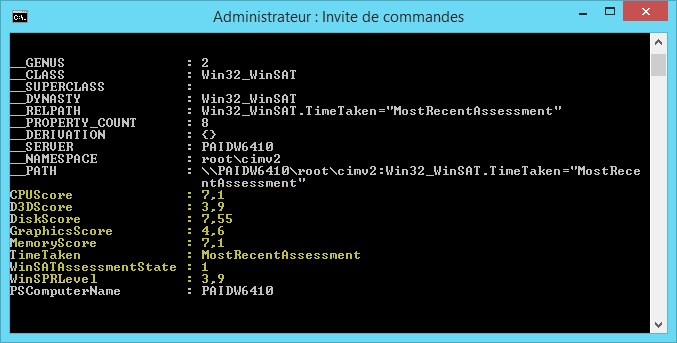
- Check the Result: If the result displays a ‘0’, it means the assessment hasn’t been run on your system yet. To initiate the assessment, type in:
Winsat formal
- Wait for Completion: The assessment might take a few minutes. Once done, you can rerun the first command to view your system’s rating.