Install HP Client Management Script Library
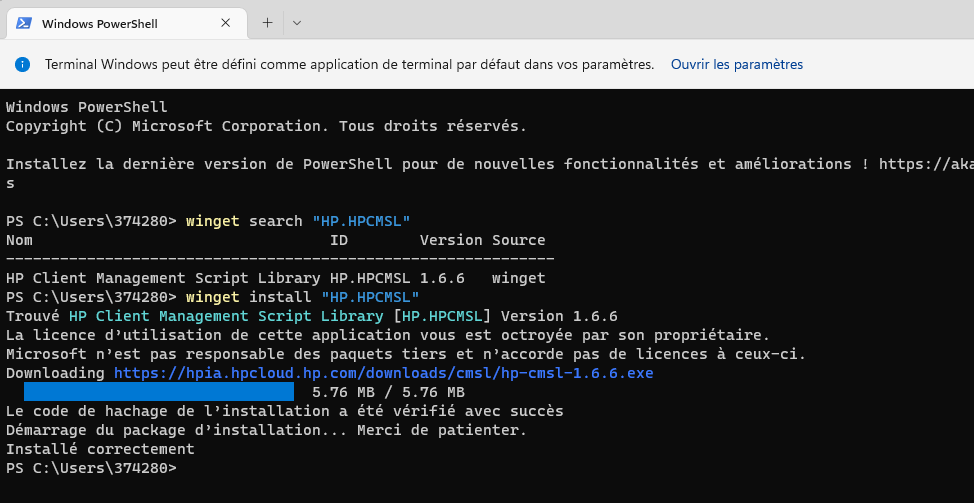
You can use winget to install the HP Client Management Script Library.
winget install HP.HPCMSL
Get the Device Product ID (HP)
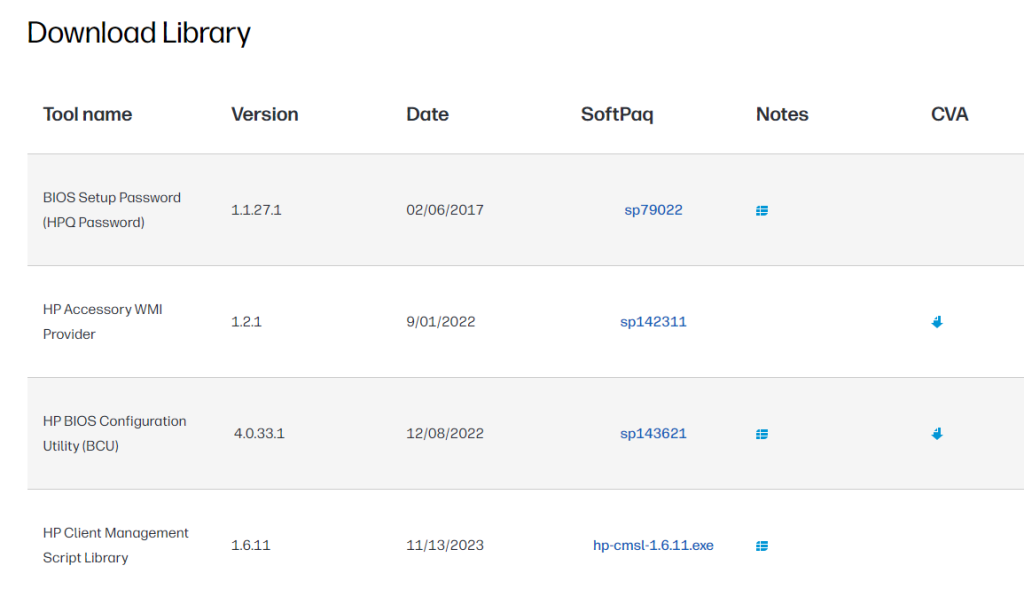
Alternatively, you can download the library from the HP Developers portal: HP Developers Portal | SoftPaq Management. Install “HP Client Management Script Library,” then run the command below.
Run: Get-HPDeviceProductID
Get-HPDeviceProductID returns the 4-character device Product ID.
Client Management Tools
This script uses the Client Management Script Library to download drivers with PowerShell.
Note: Get the Product ID with Get-HPDeviceProductID.
Examples
- HPLastDriverpack
Downloads the Driver Pack.
HPLastDriverpack -OS "Win10" -OSver "21h2" -Platform "8873" -DestinationFolder "c:\drivers"
- HPLastBios
Downloads the latest available BIOS.
HPLastBios -OS "Win10" -OSver "21h2" -Platform "8873" -DestinationFolder "c:\BIOS"
- HPLastDrivers
Downloads the latest drivers for a specific category.
HPLastDrivers -NameDriver "Hotkey" -OS "Win10" -OSver "21h2" -Platform "8873" -DestinationFolder "c:\drivers\Add"
- HPLastThunderbolt
Downloads the latest available Thunderbolt drivers.
HPLastThunderbolt -OS "Win10" -OSver "21h2" -Platform "8873" -DestinationFolder "c:\drivers\add"
Example workflow combining these functions:
HPLastDriverpack -OS "Win10" -OSver "21h2" -Platform "8873" -DestinationFolder "c:\Drivers\HP_ZBookStudioG8\Win10\x64\DriversPack"
HPLastBios       -OS "Win10" -OSver "21h2" -Platform "8873" -DestinationFolder "c:\Drivers\BIOSupdate\HP_ZBookStudioG8\BIOS"
DownloadScriptsBIOS -DestinationFolder "c:\Drivers\BIOSupdate\HP_ZBookStudioG8"
HPLastDrivers    -NameDriver "WLAN"      -OS "Win10" -OSver "21h2" -Platform "8873" -DestinationFolder "c:\Drivers\HP_ZBookStudioG8\Win10\x64\ADD"
HPLastThunderbolt                    -OS "Win10" -OSver "21h2" -Platform "8873" -DestinationFolder "c:\Drivers\HP_ZBookStudioG8\Win10\x64\ADD"
HPLastDrivers    -NameDriver "Synaptics" -OS "Win10" -OSver "21h2" -Platform "8873" -DestinationFolder "c:\Drivers\HP_ZBookStudioG8\Win10\x64\ADD"
HPLastDrivers    -NameDriver "NVIDIA"    -OS "Win10" -OSver "21h2" -Platform "8873" -DestinationFolder "c:\Drivers\HP_ZBookStudioG8\Win10\x64\ADD"
HPLastDrivers    -NameDriver "Hotkey"    -OS "Win10" -OSver "21h2" -Platform "8873" -DestinationFolder "c:\Drivers\HP_ZBookStudioG8\Win10\x64\ADD"
HPGenerateDriverBat -DriverBatFolder "c:\Drivers\HP_ZBookStudioG8\Win10\x64" -DriverCVAFolder "c:\Drivers\HP_ZBookStudioG8\Win10\x64\ADD" -PrefixeFolderComputerDrivers "c:\pnpdrivers\ADD"
DownloadScriptsDrivers -DestinationFolder "c:\Drivers\HP_ZBookStudioG8\Win10\x64"