
Windows 11 OEM Activation with Windows Master Images
Windows 11 OEM – OEM activations are performed using the BIOS. Manufacturers embed the Windows serial number directly in the BIOS.
Windows 11 OEM – OEM activations are performed using the BIOS. Manufacturers embed the Windows serial number directly in the BIOS.
OEM Activation Using Consumer Media
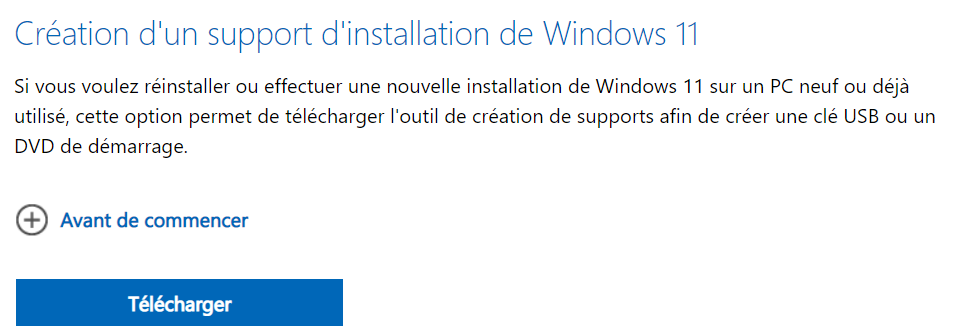
- Using the tool: Media Creation Tool, activation will happen automatically.
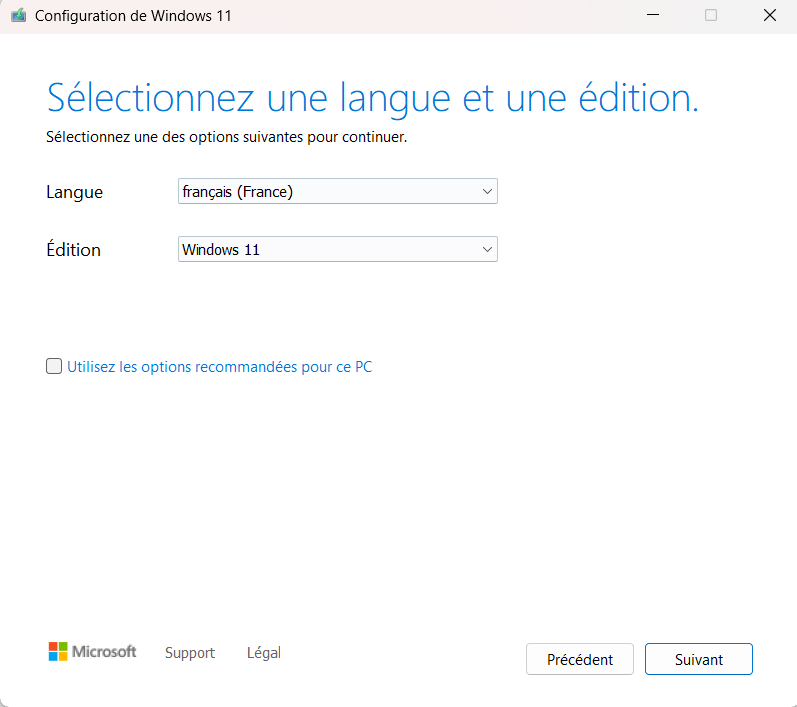
- Select your language and click “Next”.
OEM Activation via Script
Windows 10 or Windows 11
Windows 11 OEM – You can retrieve the computer’s serial key and activate Windows via a script. An internet connection is required to complete the activation.
# Retrieve the OEM/BIOS embedded Windows product key
$key = (Get-WmiObject -Query 'SELECT * FROM SoftwareLicensingService').OA3xOriginalProductKey

# Install the retrieved product key
cscript C:WindowsSystem32slmgr.vbs -ipk $key

# Attempt Windows activation
cscript C:WindowsSystem32slmgr.vbs -ato
Windows 7 Pro
Windows 11 OEM – The product key is specific to each manufacturer. You’ll also need the associated OEM certificate.
| Manufacturer | Serial |
|---|---|
| Dell | 32KD2-K9CTF-M3DJT-4J3WC-733W |
| HP | 74T2M-DKDBC-788W3-H689G-6P6GT |
| Lenovo | 237XB-GDJ7B-MV8MH-98QJM-24367 |
Windows 11 OEM – Download OEM Certificates
Check Activation Status
- Windows 7 (VBScript)
Set objWMIService = GetObject("winmgmts:.rootcimv2")
Set colItems = objWMIService.ExecQuery("Select * From SoftwareLicensingProduct")

IsWinActivated = True

For Each objItem In colItems
    If objItem.GracePeriodRemaining = 0 Then
        If objItem.LicenseStatus = 1 Then
            ' Product is activated
        Else
            IsWinActivated = False
        End If
    End If
Next

If IsWinActivated = False Then
    WScript.Echo "Activation Failed"
End If
- Windows 10 (PowerShell)
# Retrieve the original product key from BIOS/UEFI
$ProductKey = (Get-WmiObject -Class SoftwareLicensingService).OA3xOriginalProductKey

# Install the product key
cscript "C:WindowsSystem32slmgr.vbs" -ipk $ProductKey

# Attempt activation
cscript "C:WindowsSystem32slmgr.vbs" -ato

# Get licensing status for Windows
$ta = Get-CimInstance -ClassName SoftwareLicensingProduct -Filter "PartialProductKey IS NOT NULL" | Where-Object { $_.Name -like "Windows*" }

# Extract license status and description
$active = $ta.LicenseStatus
$description = $ta.Description

Write-Host "--- $description ---"

# If not activated, display failure message and wait for a key press
if ($active -ne 1) {
    Write-Host "Activation Failed"
    $null = $Host.UI.RawUI.ReadKey("NoEcho,IncludeKeyDown")
}
Windows 11 OEM – OEM Activation Scripts for Windows 11
Troubleshooting
- 0xC004F210 — Wrong edition key: reinstall with matching edition or change to correct edition.
- No OEM key — Device may be retail/volume: provide MAK/KMS or contact OEM.
- Proxy/Firewall — Allow activation endpoints or try later.
Windows 11 OEM –