KMS Key Selection
KMS Client Keys
The keys below should be used on client or server OS to activate them with a KMS server. By using these keys, Windows knows it must activate through a KMS server.
- For KMS clients, always use a CLIENT KMS key: public
| Windows 11 Pro Windows 10 Professional | W269N-WFGWX-YVC9B-4J6C9-T83GX |
| Windows 11 Professional N Windows 10 Professional N | MH37W-N47XK-V7XM9-C7227-GCQG9 |
| Windows 11 Professional for Workstations Windows 10 Professional for Workstations | NRG8B-VKK3Q-CXVCJ-9G2XF-6Q84J |
| Windows 11 Professional for Workstations N Windows 10 Professional for Workstations N | 9FNHH-K3HBT-3W4TD-6383H-6XYWF |
| Windows 11 Professional Education Windows 10 Professional Education | 6TP4R-GNPTD-KYYHQ-7B7DP-J447Y |
| Windows 11 Professional Education N Windows 10 Professional Education N | YVWGF-BXNMC-HTQYQ-CPQ99-66QFC |
| Windows 11 Education Windows 10 Education | NW6C2-QMPVW-D7KKK-3GKT6-VCFB2 |
| Windows 11 Education N Windows 10 Education N | 2WH4N-8QGBV-H22JP-CT43Q-MDWWJ |
| Windows 11 Enterprise Windows 10 Enterprise | NPPR9-FWDCX-D2C8J-H872K-2YT43 |
| Windows 11 Enterprise N Windows 10 Enterprise N | DPH2V-TTNVB-4X9Q3-TJR4H-KHJW4 |
| Windows 11 Enterprise G Windows 10 Enterprise G | YYVX9-NTFWV-6MDM3-9PT4T-4M68B |
| Windows 11 Enterprise G N Windows 10 Enterprise G N | 44RPN-FTY23-9VTTB-MP9BX-T84FV |
Source: KMS Client Activation Keys
| Operating System Edition | KMS Client Product Key |
|---|---|
| Windows Server 2025 Standard | TVRH6-WHNXV-R9WG3-9XRFY-MY832 |
| Windows Server 2025 Datacenter | D764K-2NDRG-47T6Q-P8T8W-YP6DF |
| Windows Server 2025 Datacenter: Azure Edition | XGN3F-F394H-FD2MY-PP6FD-8MCRC |
KMS Host Keys
To obtain these keys, visit your licensing portal. These are KMS host keys and should ONLY be used on a KMS server.
Windows 10/11 key or Windows Server key?
- Client KMS keys (Windows 10/11) activate only client OS.
- Server KMS host keys (Windows Server 2016/2019/2022/2025) activate both client and server OS (best choice).
Whenever possible, use the most recent Windows Server KMS host key on your KMS server. This lets you activate all supported client and server OS in your network.
Listing KMS in DNS
The nslookup command lets you list KMS servers registered in DNS.
nslookup -q=srv _vlmcs._tcpIt’s possible to have multiple KMS servers registered in DNS. If that happens, you may have used the wrong key to activate your workstations.
Installing the KMS Role
Installation of the KMS Role
- Install the Windows role “Volume Activation Services”.
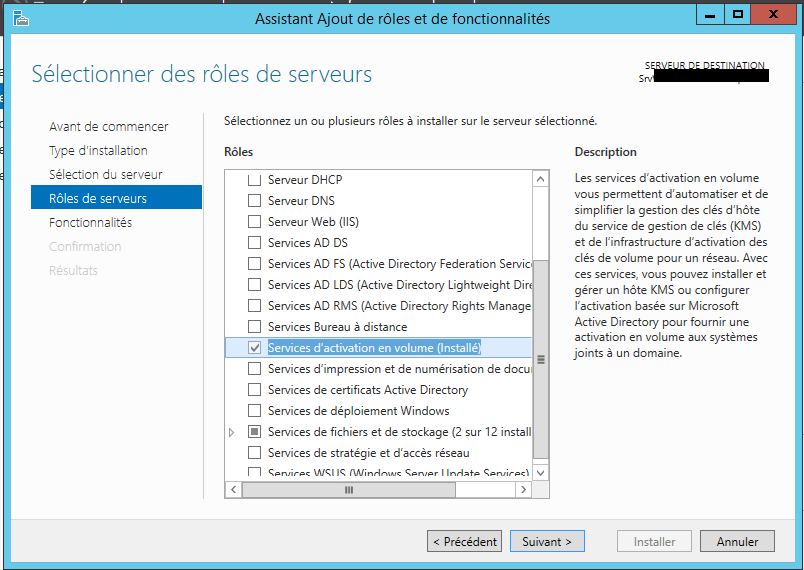
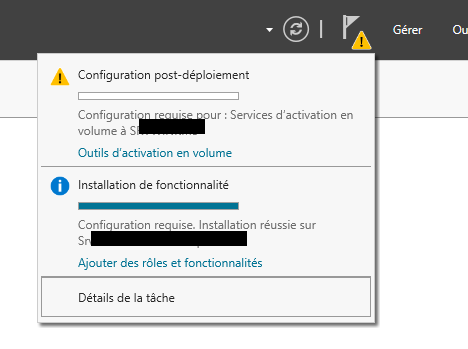
KMS Role Configuration
- In post‑configuration tasks, launch “Volume Activation Tools”.
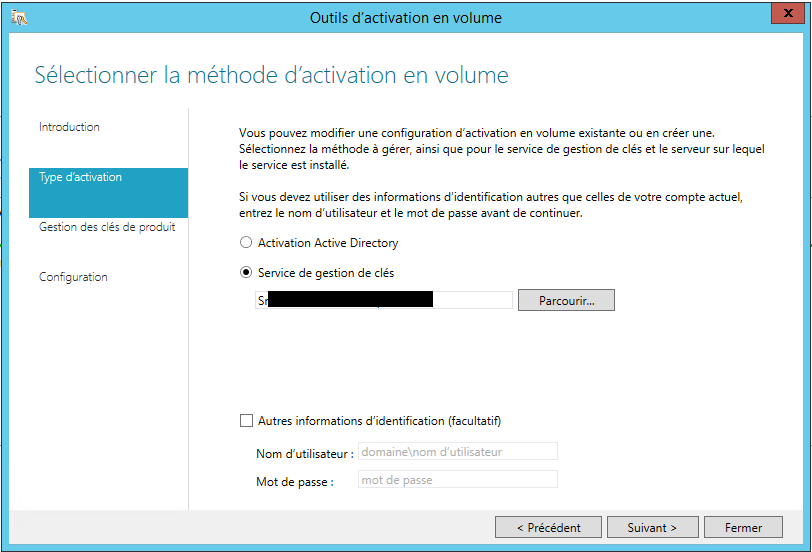
- Select “Key Management Service”.
- Enter the KMS host key for Windows Server (latest available).
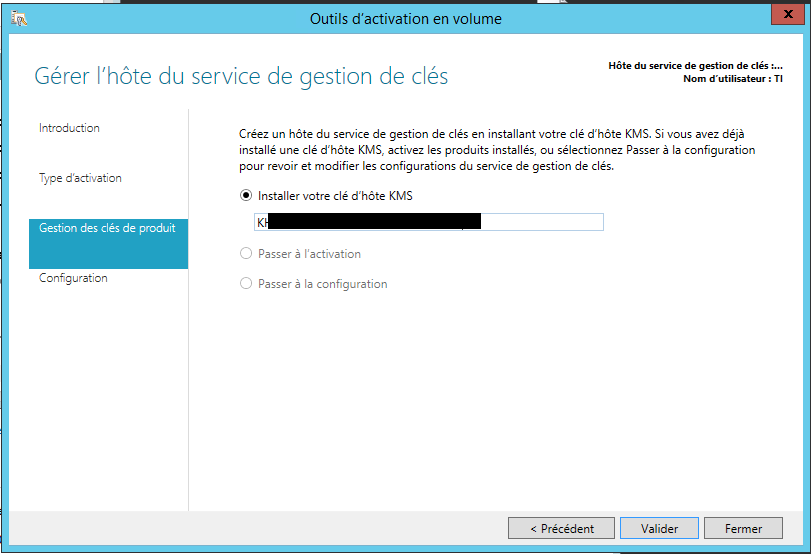
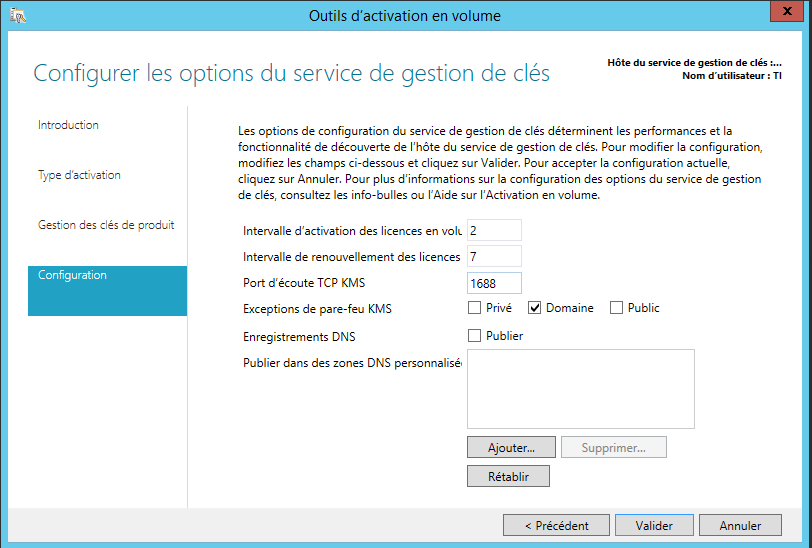
- DNS publication will be used.
Note: DNS publication allows Windows volume-licensed clients to activate automatically.
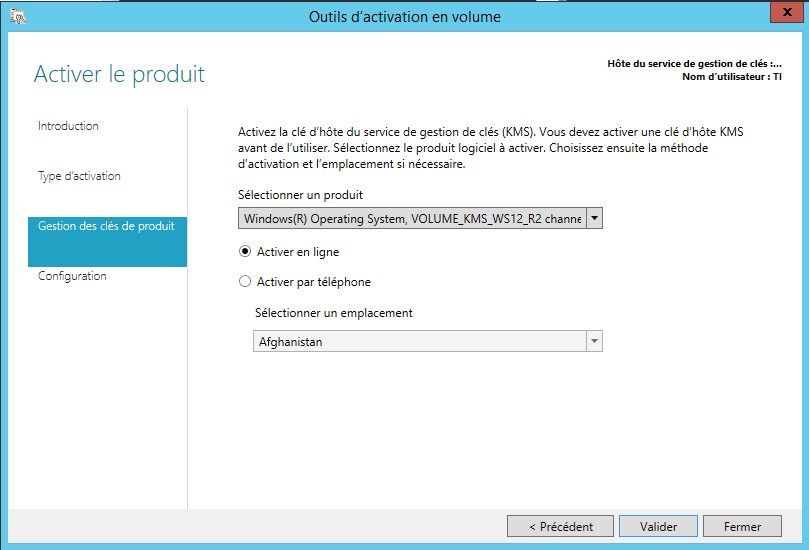
- Finally, activate the KMS server.
Role Validation
On the KMS Server
Note: The server becomes active after 25 activation requests for client OS and 5 requests for server OS.
- The command
slmgr /dlvlets you check the KMS server status.
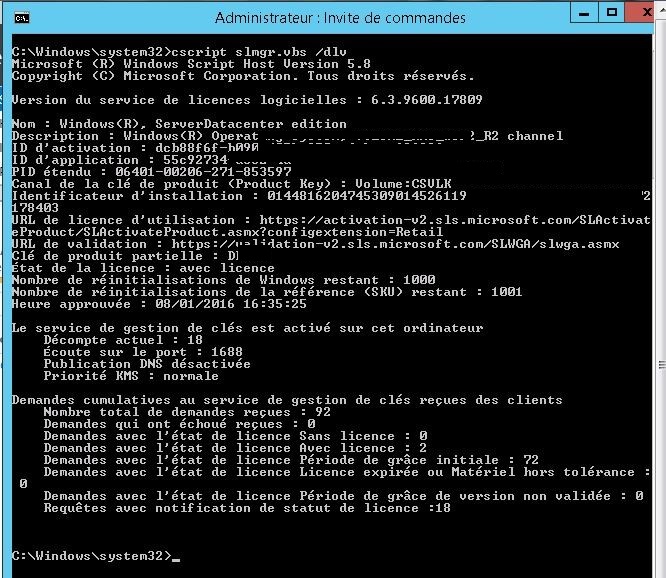
- To check request count and activated licenses, run
slmgr.vbs /dli. “Current Count” must be > 25 for the server to be active.
Enforce Registration
- To force KMS registration on the 25 workstations, run:
c:\windows\system32\cscript.exe "c:\windows\system32\slmgr.vbs" /skms serveurKMS.monlab.lan:1688
c:\windows\system32\cscript.exe "c:\windows\system32\slmgr.vbs" /ato
- To re-enable KMS server discovery via DNS:
c:\windows\system32\cscript.exe "c:\windows\system32\slmgr.vbs" /ckms
Tip: Manually Create a DNS Record (if not using Microsoft DNS)
Create a manual DNS SRV record with the following values:
- Service:
_vlmcs - Protocol:
_tcp - Priority: 0
- Weight: 0
- Port: 1688
- Target: FQDN of the KMS host