
Installation du module
- Manual Installation:
- This method is not typically recommended.
- PowerShell modules are available at this address.
- As indicated in the help documentation, download the modules and copy them to:
%WINDIR%\System32\WindowsPowerShell\v1.0\Modules - Then, execute the command:
import-module pswindowsupdate
- Standard Installation:
- Simply execute the PowerShell command:
Install-Module -Name PSWindowsUpdate -Force
- Simply execute the PowerShell command:
Utilisation du Module
Get-WUsettings: Identify the active GPOs.
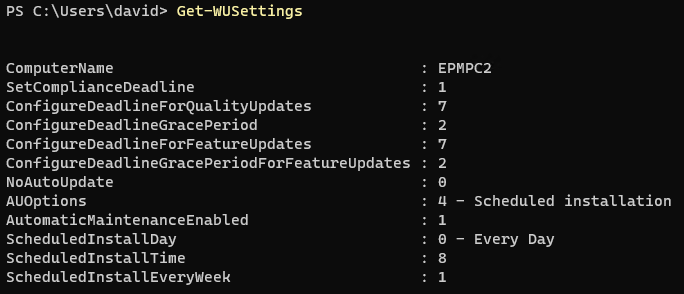
Get-WUinstall: Install patches. Note:Get-WUInstallandinstall-windowsupdateare identical commands.
Examples
Get-WUInstall -AcceptAll
Get-WUInstall -AcceptAll -Autoreboot
install-windowsupdate -notTitle "Malicious" -AcceptAll -IgnoreReboot

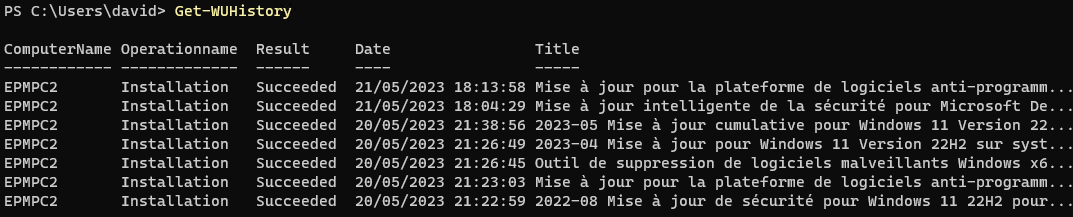
- Get-WUHistory =>View the history of installations.
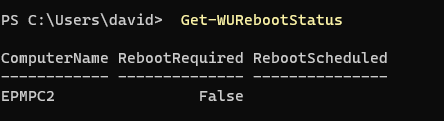
- Get-WURebootStatus => Check if a reboot is pending.
- Install-WindowsUpdate -WindowsUpdate -AcceptAll -IgnoreReboot
to bypass wsus configuration




Il est super ce module !
Lorsque j’execute la commande: Get-WUSettings -ComputerName Poste0
J’obtiens l’erreur ci-dessous
Get-WUSettings : Le chemin réseau n’a pas été trouvé.
Au caractère Ligne:1 : 1
+ Get-WUSettings -ComputerName Poste1
+ ~~~~~~~~~~~~~~~~~~~~~~~~~~~~~~~~~~~~~~~~~~~~~~~~
+ CategoryInfo : NotSpecified: (:) [Get-WUSettings], IOException
+ FullyQualifiedErrorId : System.IO.IOException,PSWindowsUpdate.GetWUSettings