
How to Display the Reliability Monitor with Windows Master Images
Display Reliability Monitor – Monitoring the stability and reliability of your system is crucial for maintaining optimal performance. Windows 8 includes the Reliability Monitor, a
Useful external reference: Microsoft Learn.
Introduction
Display Reliability Monitor – Monitoring the stability and reliability of your system is crucial for maintaining optimal performance. Windows 8 includes the Reliability Monitor, a graphical tool that displays a history of system problems. This tool helps you understand what issues have occurred and when they happened, making it easier to identify patterns and find solutions.
Useful external reference: Microsoft Learn.
Accessing the Reliability Monitor
Display Reliability Monitor – To access the Reliability Monitor in Windows 8, follow these steps:
Useful external reference: Microsoft Learn.
- Press Windows + Q to open the search charm.
- Type “Reliability Monitor” in the search box.
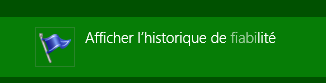
- Click on “View reliability history” from the search results.
Using the Reliability Monitor
Display Reliability Monitor – The Reliability Monitor provides a graphical representation of your system’s stability over time. Here’s how to interpret and use the tool:
Useful external reference: Microsoft Learn.
Graphical Display
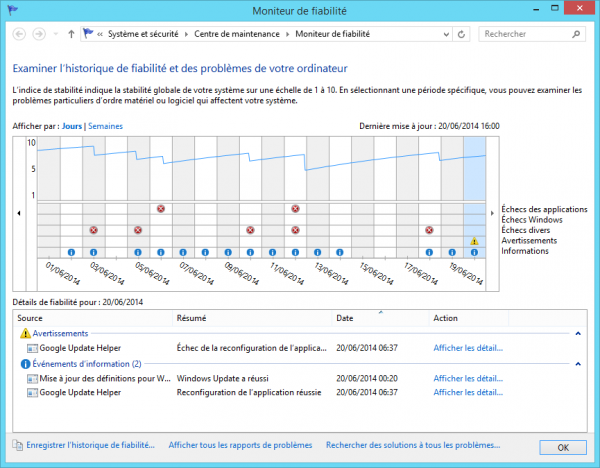
Display Reliability Monitor – The main graph shows the stability index, which ranges from 1 (least stable) to 10 (most stable). Each day is marked with icons indicating errors, warnings, and informational events.
Useful external reference: Microsoft Learn.
- Red X: Indicates a critical event such as an application crash or system failure.
- Yellow Triangle: Indicates a warning event such as a driver installation issue.
- Blue Information Icon: Indicates informational events such as successful updates.
Viewing Details
Display Reliability Monitor – Click on a specific day to view detailed information about the events that occurred. This includes descriptions of the problems and any potential solutions.
Useful external reference: Microsoft Learn.