Introduction
This article presents an example of a ring-based patch deployment strategy using the software 7-Zip as a reference. The approach involves a 7-day delay between each ring, allowing patches to be tested and validated progressively before full deployment.
While this example focuses on 7-Zip, the same methodology can be applied to Microsoft patches or any other software updates. You can also extend the logic by introducing additional filters, such as severity level or classification (e.g., critical, security updates, feature updates), to fine-tune the rollout process according to your organization’s risk tolerance and validation needs.
This strategy helps reduce the impact of potential issues and ensures a stable deployment across your environment.
Create Ring
Ring 1 – Immediate Deployment to Test Devices
This ring targets a small group of tester devices. The goal is to validate that newly released patches do not cause any regressions or compatibility issues.
- Criteria: Patch is newly released.
- Filter: No release date restriction applied.
- Use case: Initial testing by IT or selected pilot users.
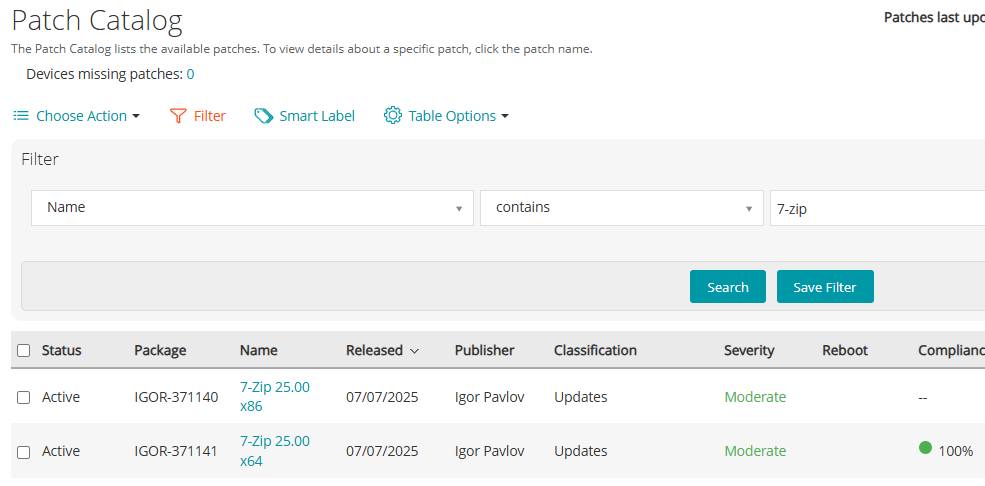
Example: Patch “7-Zip 25.00” is published on 07/07/2025 and assigned to Ring 1 for immediate deployment.
Ring 2 – Pilot Deployment After 7 Days
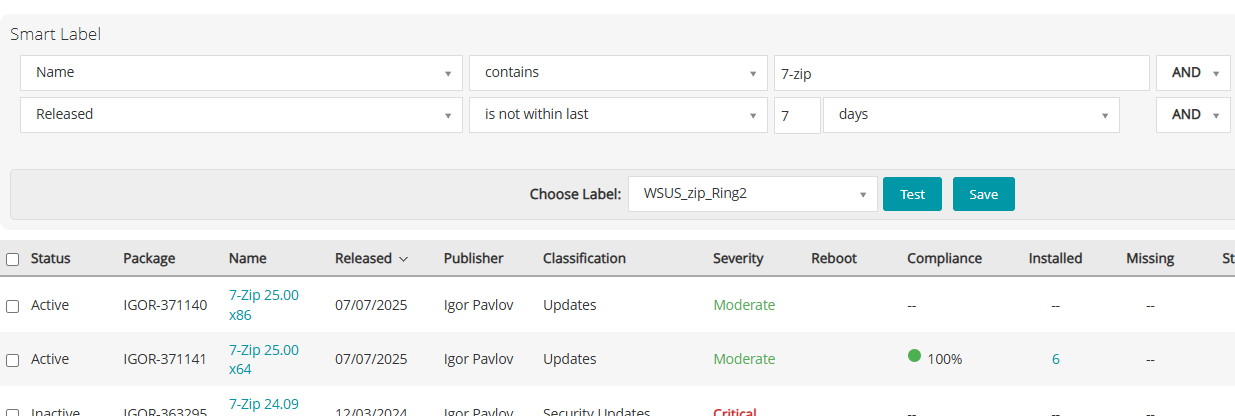
After one week of successful testing in Ring 1, the patch is then deployed to a larger pilot group.
- Criteria: Patch has been released at least 7 days ago.
- Filter:
Namecontains “7-zip”Releasedis not within the last 7 days
- Use case: Early deployment to a controlled group of power users or critical business units.
This step helps detect broader compatibility issues before full deployment.
Ring 3 – Global Deployment After 14 Days
Finally, after two weeks of validation, the patch is deployed to all remaining systems.
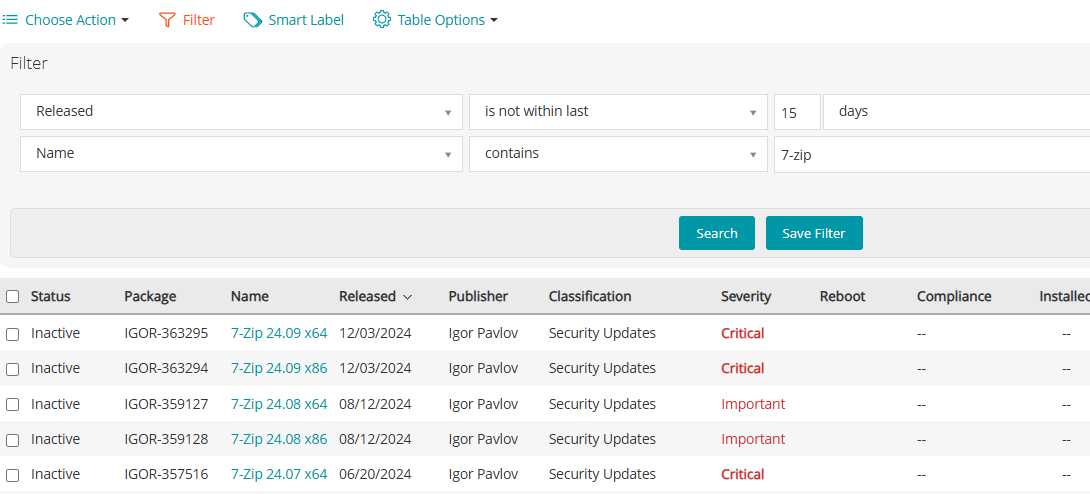
- Criteria: Patch has been released for at least 14 days.
- Filter:
Releasedis not within the last 15 days (to include patches older than 14 days)Namecontains “7-zip”
- Use case: Organization-wide patch deployment once validation is complete.
This staged rollout reduces the likelihood of widespread issues caused by newly released patches.
Create Computer label
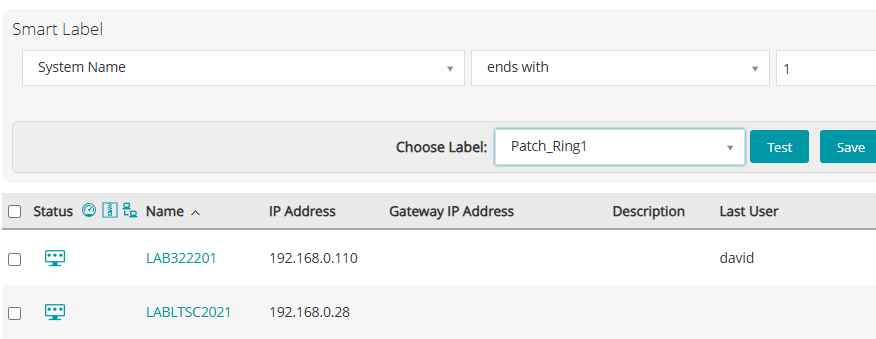
Patch_Ring1 – Technical Validation
This group is used to ensure that the patch does not break system functionality. It’s strictly for technical validation and does not take into account application compatibility.
- Example rule: Devices with system names ending in
1 - Best practice: Use dedicated machines identified through a specific attribute such as OU, tag, or naming convention.
These machines serve as the first level of patch validation.
Patch_Ring2 – Application Validation (Pilot)
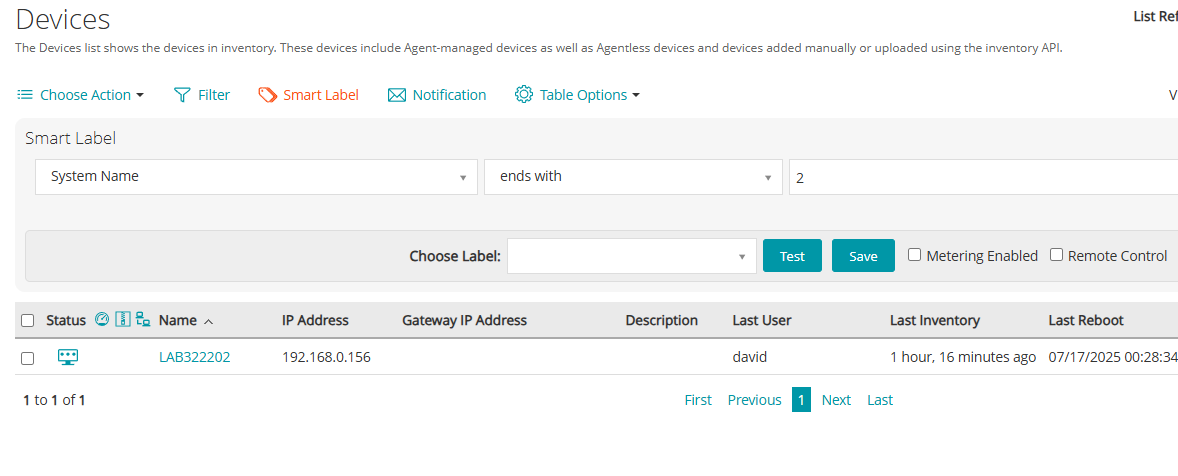
This group is used to confirm that patches do not impact business applications.
- Example rule: Devices with system names ending in
2,3, or4 - Best practice: Prefer using devices that represent key departments or critical application use cases, identified via OU, tag, or smart label.
This ring serves as the application pilot group before full deployment.
Patch_Ring3 – Global Deployment
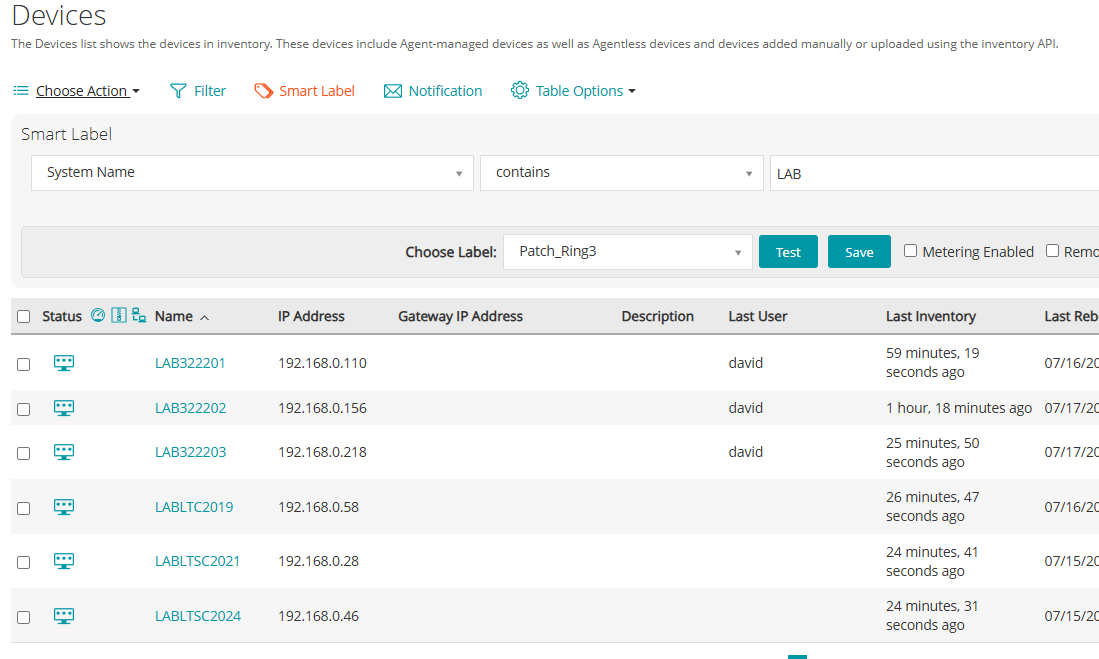
This group includes all remaining devices that will receive the patch after successful validation in the previous rings.
- Rule: No specific filter—includes all production devices not already part of Ring 1 or Ring 2
- Best practice: Exclude testing and lab devices to ensure only business-critical systems are covered.
This is the final ring where full-scale patch deployment occurs.
Schedule Task
Ring 1
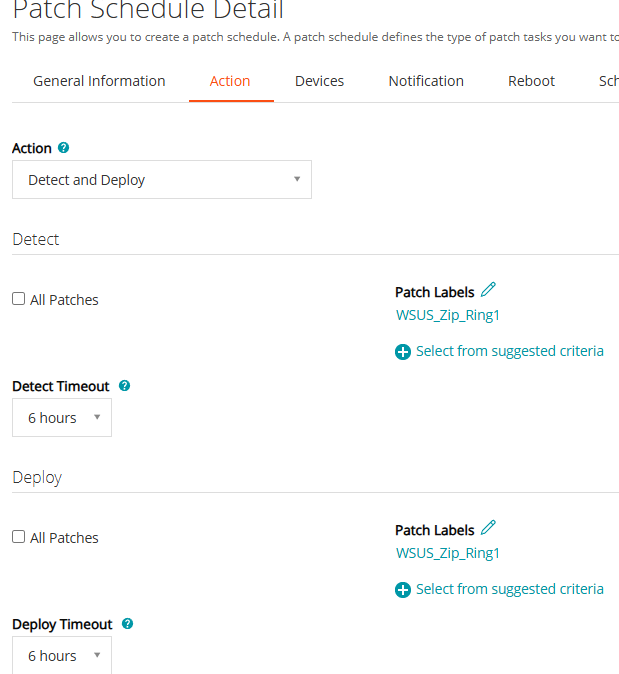
In the Action tab of the Patch Schedule:
- Action type:
Detect and Deploy - Patch Label:
WSUS_Zip_Ring1.
Ensure that “All Patches” is not selected—you want to deploy only the filtered ones.
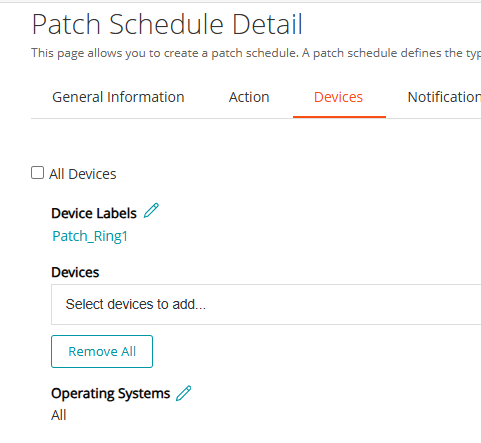
- In the Devices tab:
Operating Systems: Leave default (All) unless you want to target a specific OS.
Device Label: Patch_Ring1
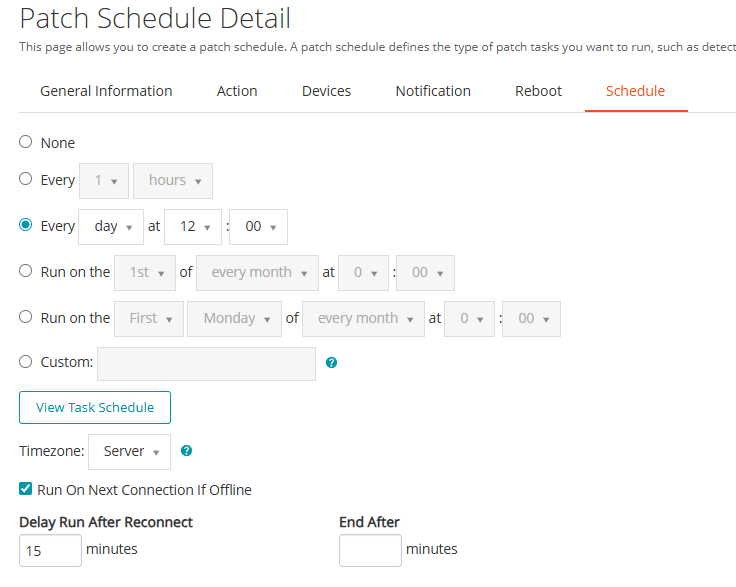
- Under the Schedule tab:
Best practice: Run the task daily during non-business hours for Ring 1 devices.
Configure a recurring schedule (e.g., daily, or specific days of the week)
Ring 2
You will need to do the same for Ring 2 patches on Ring 2 computers,
Ring 3
and for Ring 3 patches on Ring 3 computers.