Tanium Client Upgrade with 3 Rings
This article describes a simple and safe 3-ring deployment model for Tanium Client upgrades. The objective is to reduce risk by validating changes in small groups before full production rollout.
Ring Strategy
| Ring | Target Group | Goal |
|---|---|---|
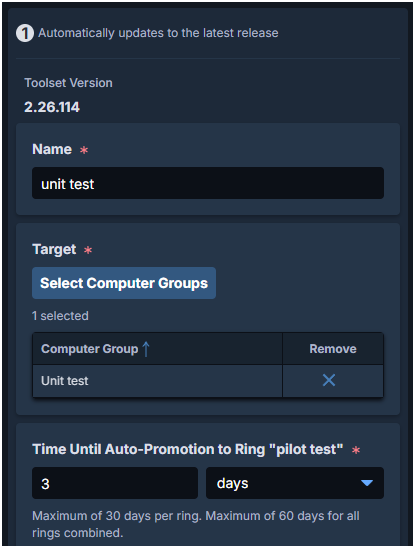
| Ring 1 | Unit Test | Validate package behavior on a very small and controlled set of endpoints. |
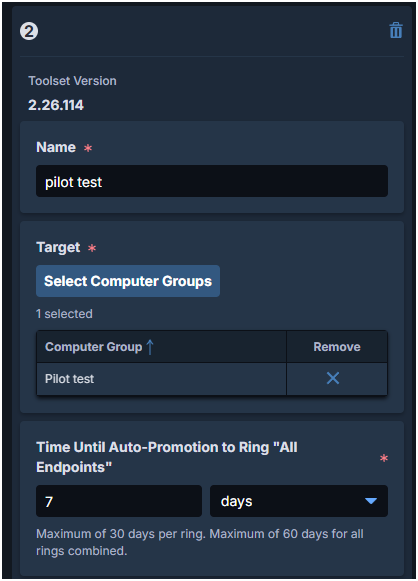
| Ring 2 | Pilot Test | Validate at scale on a representative production-like sample. |
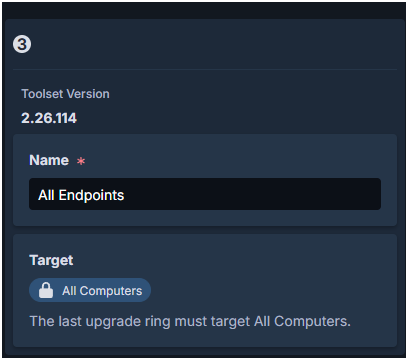
| Ring 3 | Deployment | Roll out to all remaining production endpoints. |
Image placeholder: Ring overview diagram (Unit Test – Pilot Test – Deployment).
Part 1: Configure Upgrade Rings
Prerequisites
- Computer Groups are ready: Unit Test, Pilot Test, and Deployment.
- The Tanium Client upgrade package has been validated in lab/test environment.
- Rollback decision owners are defined before starting production rollout.
Step-by-Step (Change Management)
- Open Endpoint Management -> Change Management in the Tanium Console.
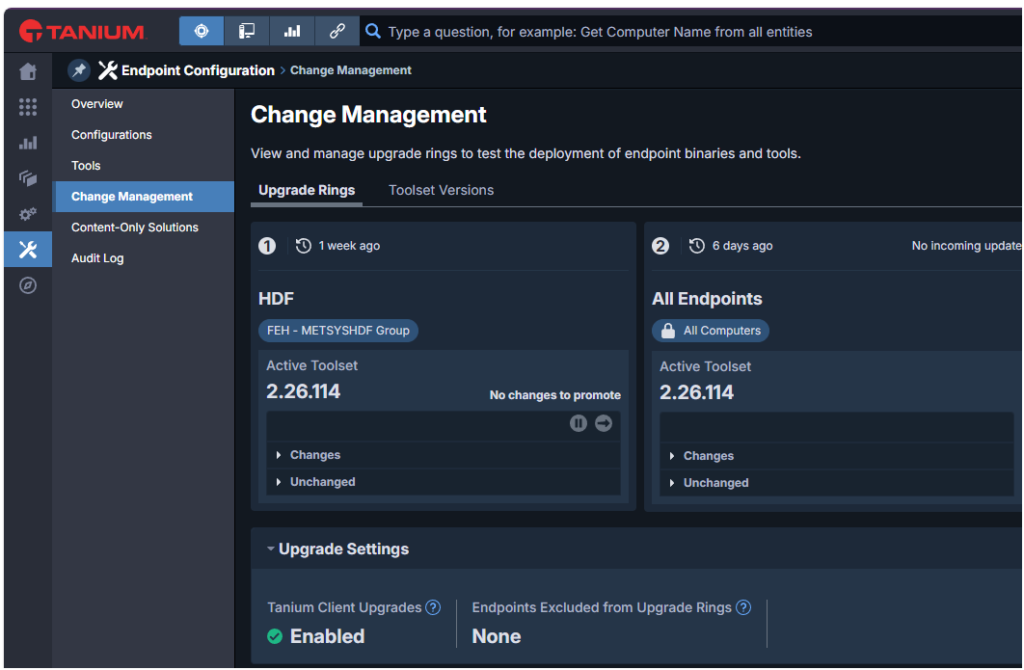
- Edit Ring 1, enable Tanium Clients Upgrades, and assign the Unit Test Computer Group.
- Edit Ring 2 and assign the Pilot Test Computer Group.
- with Ring 3 assign the All Computers
- Save the configuration and verify ring membership before launching upgrades.
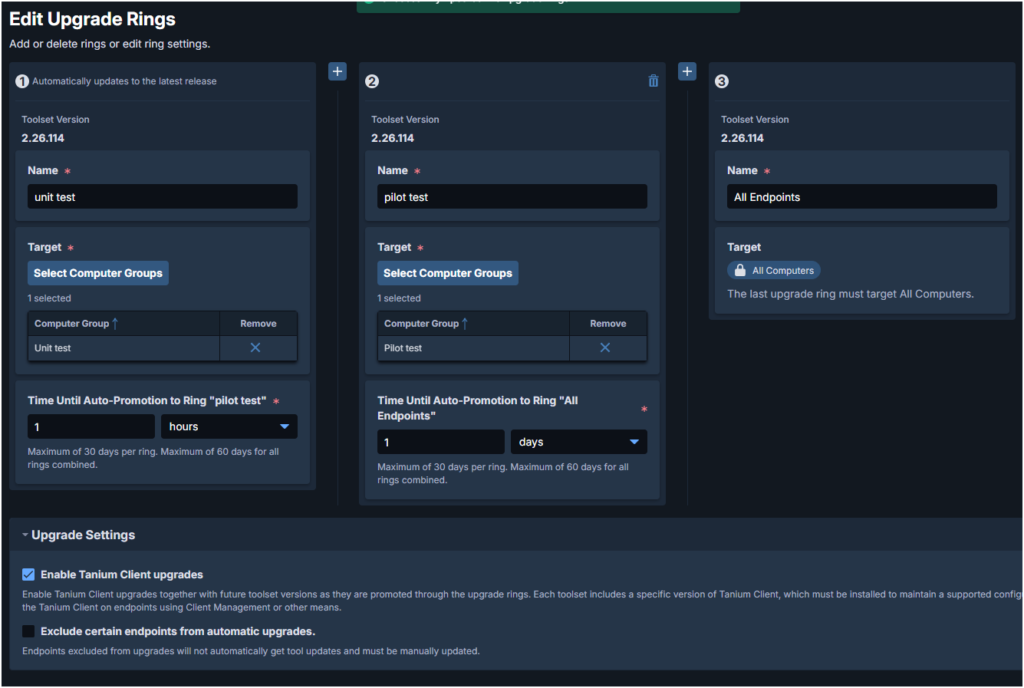
Image placeholder: Change Management screen and Ring 1/2/3 settings.