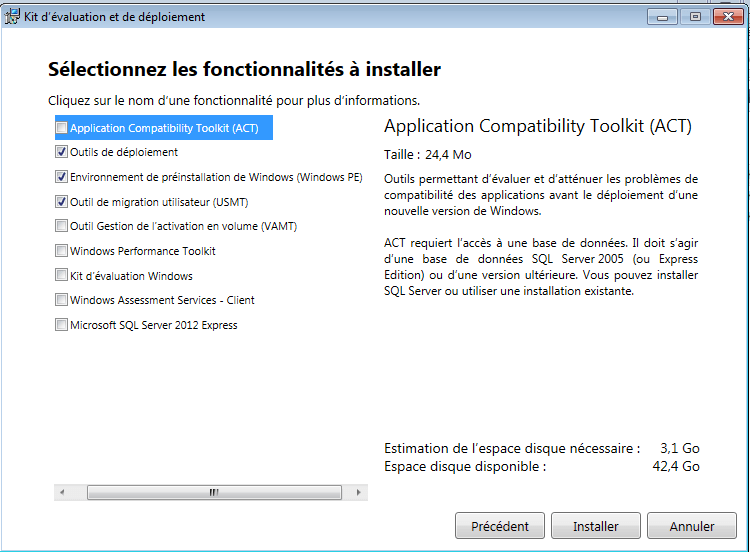
For the installation, select the following options:
Deployment Tools
Windows PE Environment
USMT
Upload USMT
KACE Media Manager
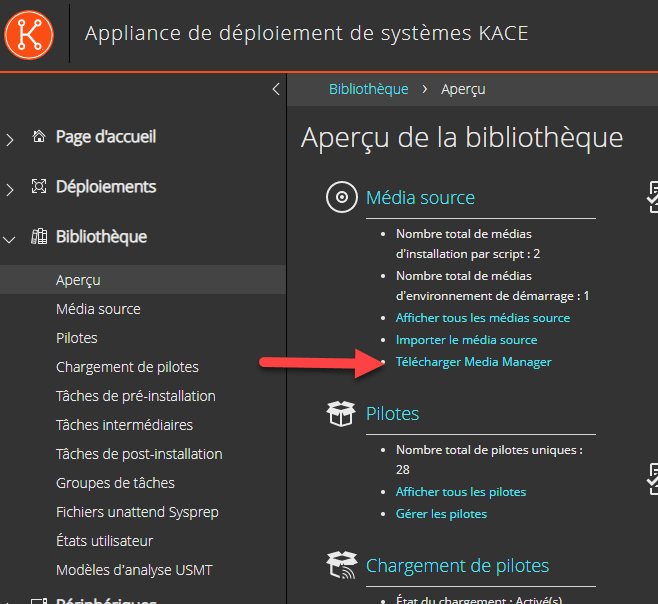
From the K2000 interface, select “Library” \ “Overview“, then download and install “Media Manager”.
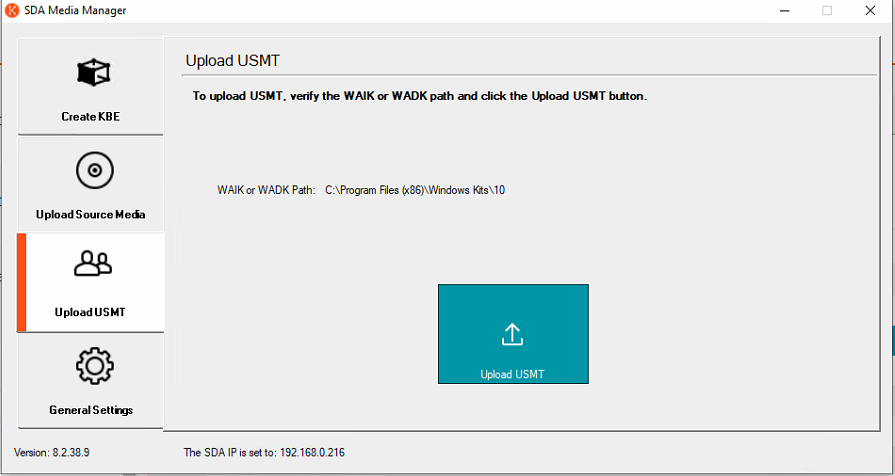
Upload USMT
Launch the “SDA Media Manager” tool,
In the “General Setting” tab, fill in
The K2000 Appliance name
The Samba password
In the “Upload USMT” tab
Click on Upload USMT
Creating a USMT Template (Optional)
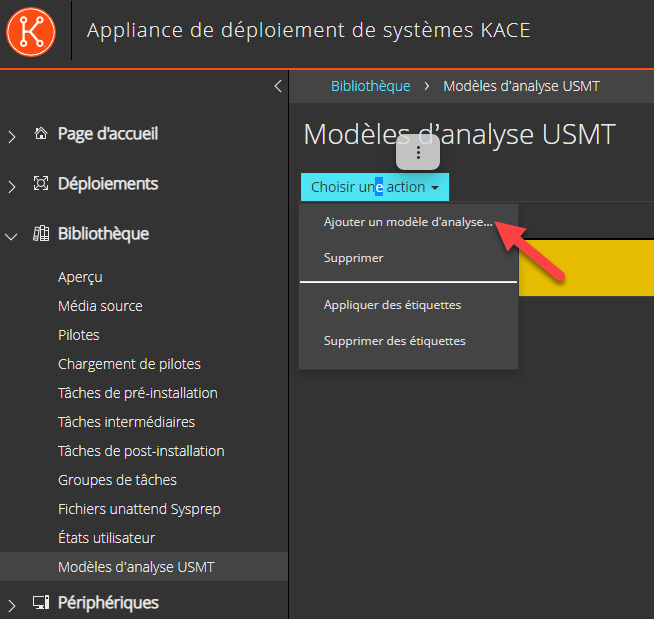
In Library \ USMT Scan Templates, select “Add New Scan Template”.
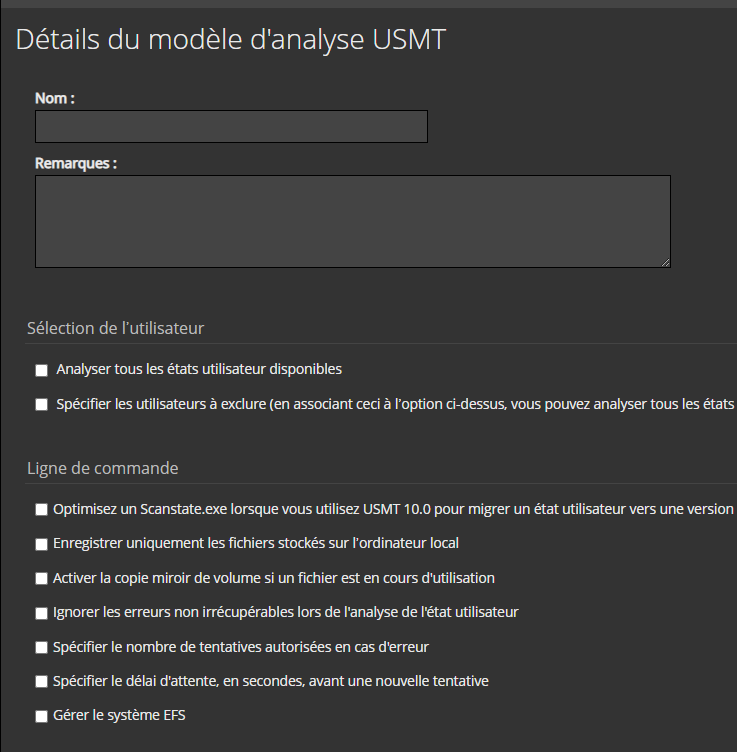
Then select the USMT backup options.
Deployment with USMT
Adding Tasks
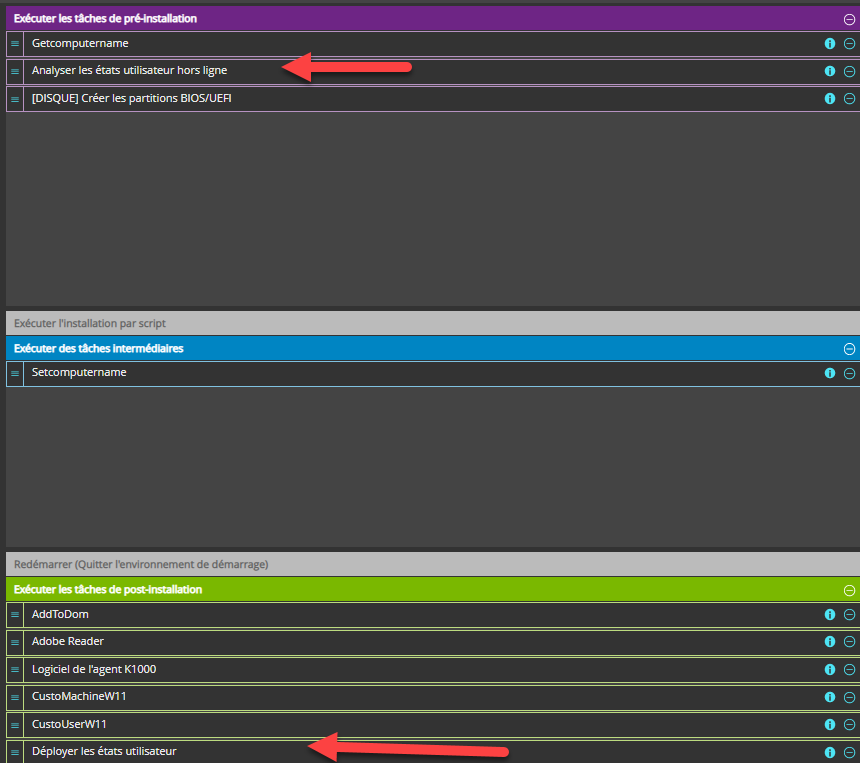
Add USMT tasks (available natively in KACE).
Note: The task “Offline User State Capture” should be placed before disk formatting.
Case of a Workstation Reinstallation
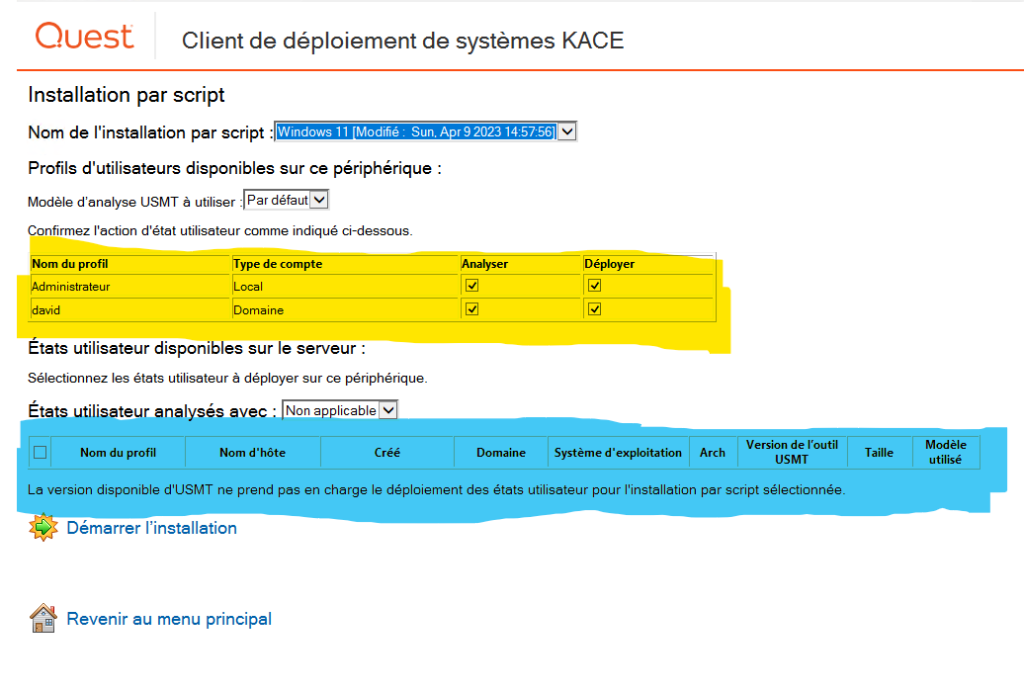
Start the workstation on PXE
IN YELLOW HIGHLIGHT
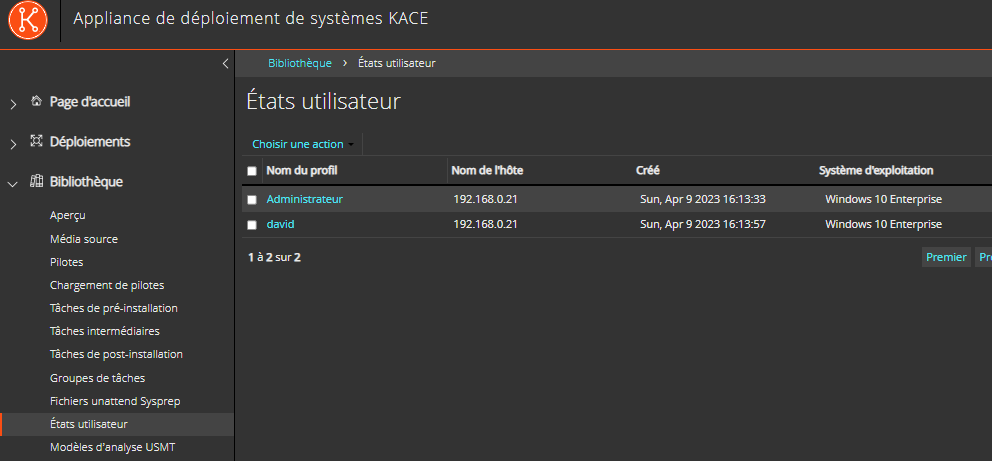
All user profiles present on the workstation will be displayed. You can check or uncheck the profiles to be backed up (or restored). The profiles will then be saved with USMT and copied to the K2000 Appliance, then restored on the workstation.
IN BLUE HIGHLIGHT
All profiles already saved on the appliance will be displayed.
Note: You will need to manually delete old profiles from the appliance to avoid saturating the appliance disks.
Extend AD schema, create the System Management container with delegation, install/configure SQL and Windows features, deploy the site, set boundaries/discovery, enable client push, add console branding